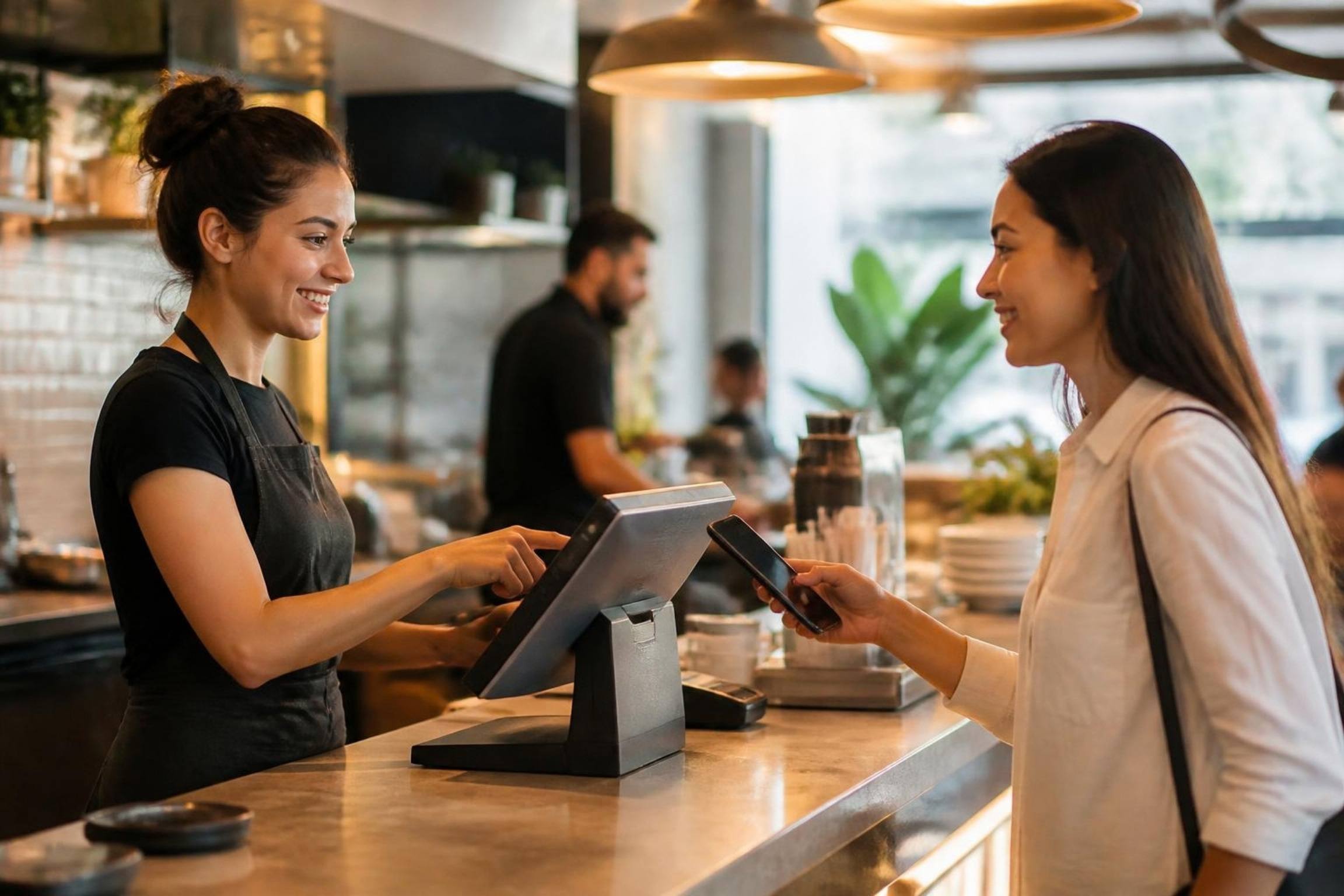
The POS that keeps selling when the internet stops.
DineBills POS runs on the Windows or Mac computer you already have. Every order is saved on the till first, so a dropped connection never stops the line, never loses a sale and never creates a duplicate.
- Windows and Mac
- Works offline
- Silent KOT printing
- Quick and table service
- From item to paid on a quick-service order
- 3 taps
- From item to paid on a quick-service order
- Print dialogs. Tickets go straight to the printer
- 0
- Print dialogs. Tickets go straight to the printer
- Target response for every tap on the till
- < 50 ms
- Target response for every tap on the till
- Sell, take payment and print with no internet
- Offline
- Sell, take payment and print with no internet
Internet down? Your customers will never know.
The POS keeps a full copy of your menu, prices, taxes, deals and floor plan on the computer itself. Orders, payments and shift actions are written locally first and sent to the cloud the moment a connection is back.
- Keep taking orders, payments and printing KOTs with no internet
- Automatic sync in the background, no button to press
- Every order carries a unique ID, so retries never create duplicates
- Local order numbers like T1-0042 until the branch number is assigned; receipts show both
- A clear pending-sync indicator so managers know what is still queued
Built to be learned in one shift.
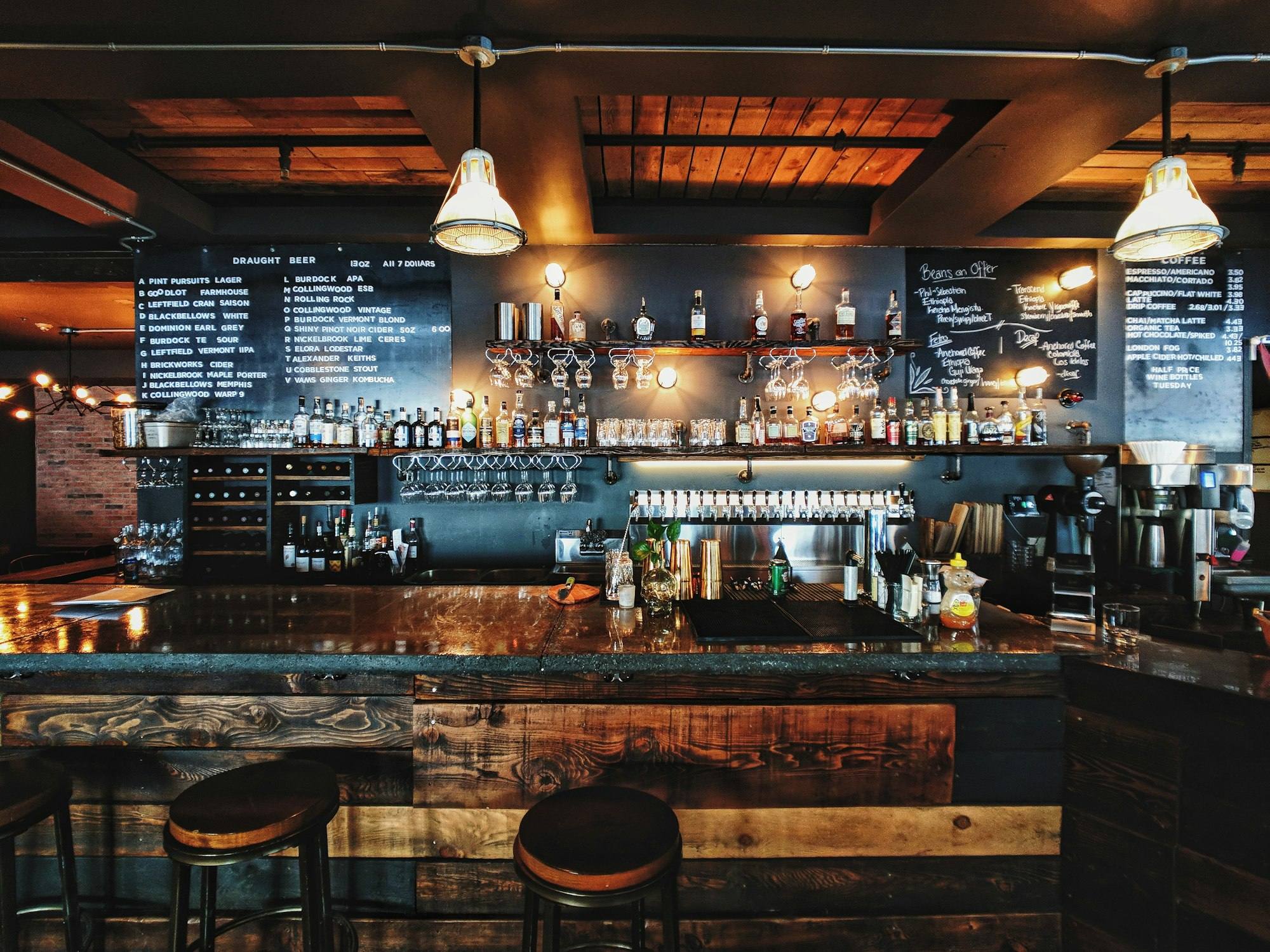
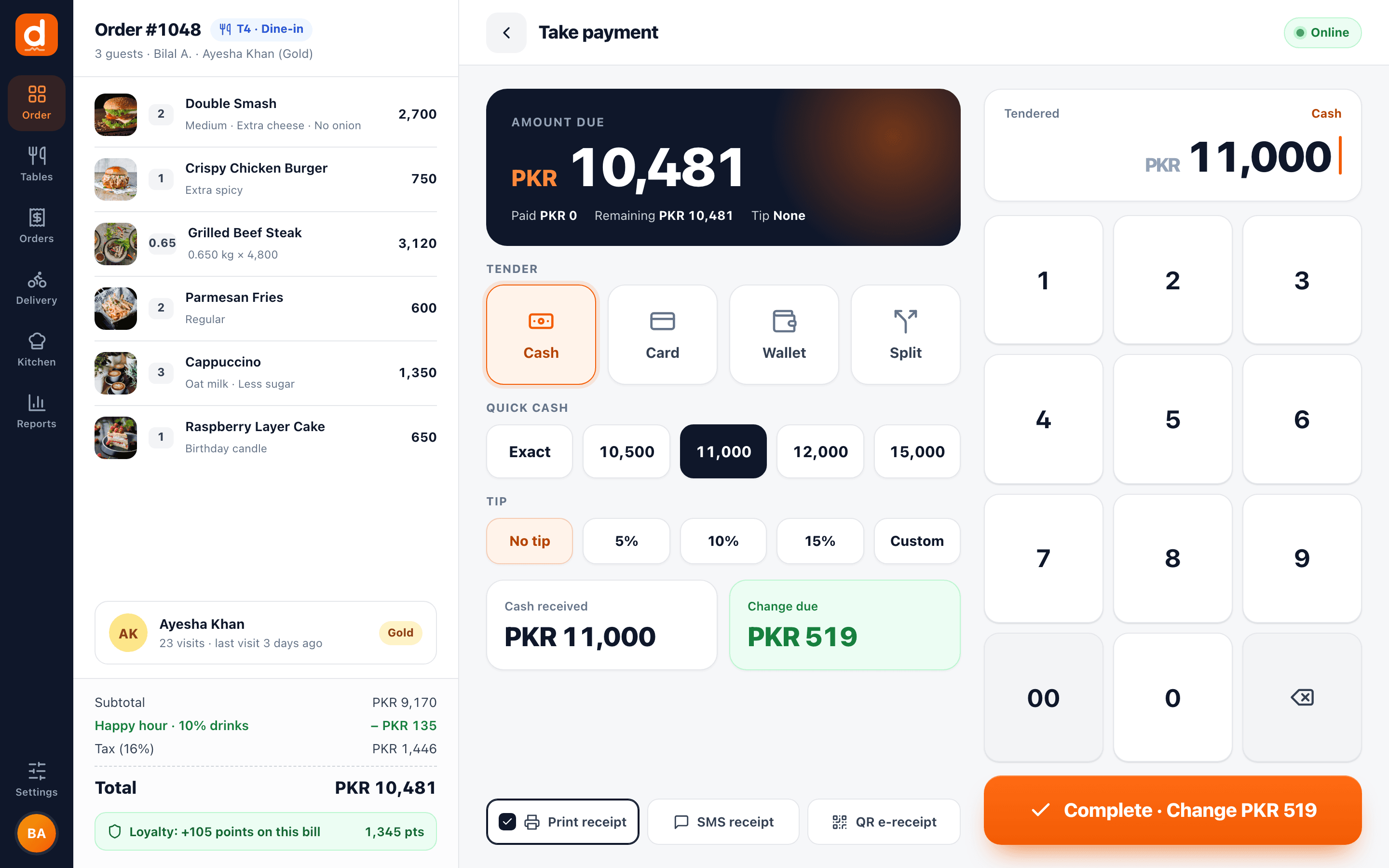
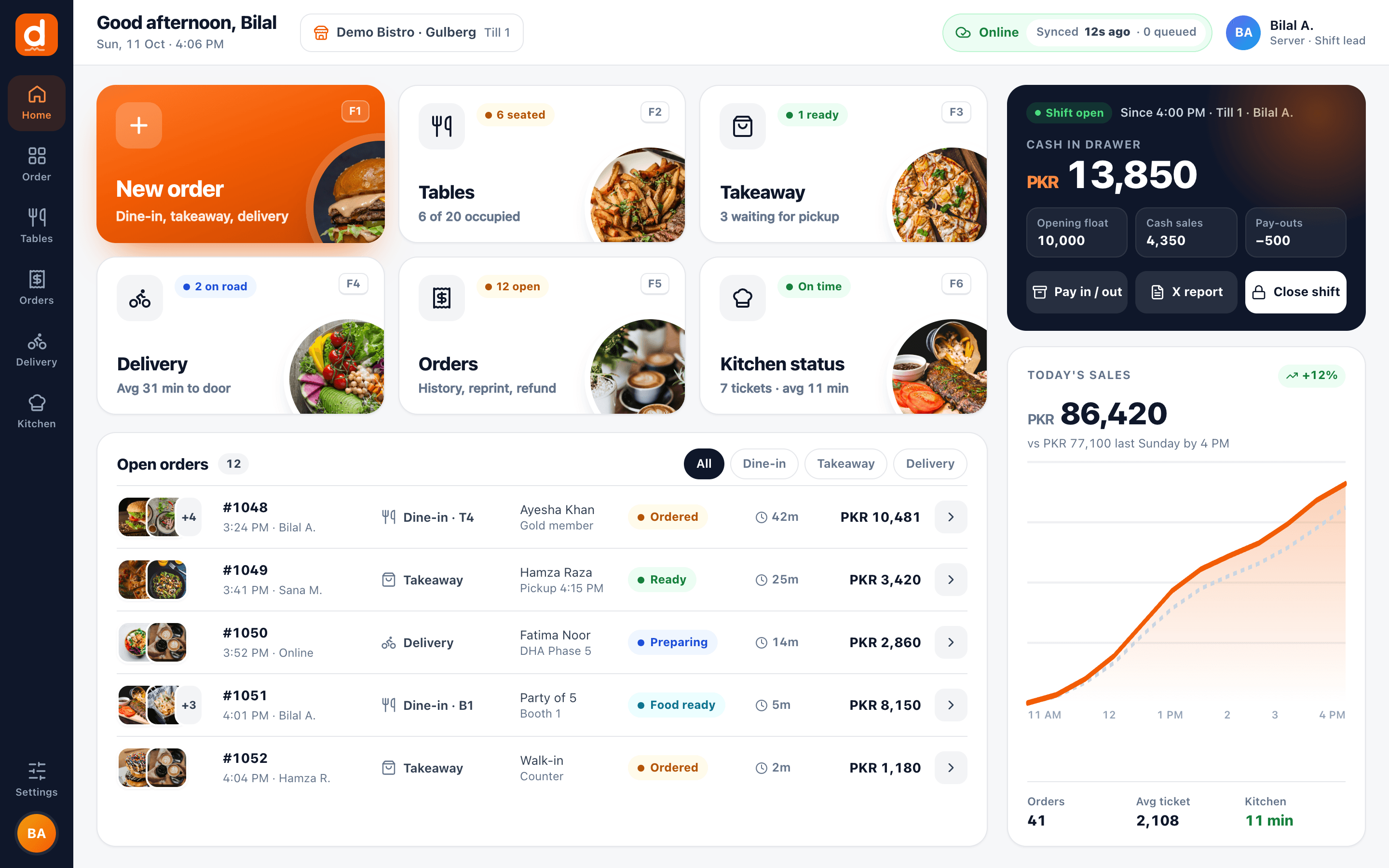
Large photo tiles, clear totals and big touch targets. Real screens from the DineBills POS, running on Windows and Mac.

Photo tiles, category chips, weighed items and a live order panel. Send to kitchen or charge in one tap.
Cash with quick amounts, card, wallet or split. Change due, tips and loyalty points on one screen.
New order, tables, orders, shift and settings, each one tap or one function key away.
Staff sign in with a personal PIN and switch users in a second. Clock in and out from the same screen.
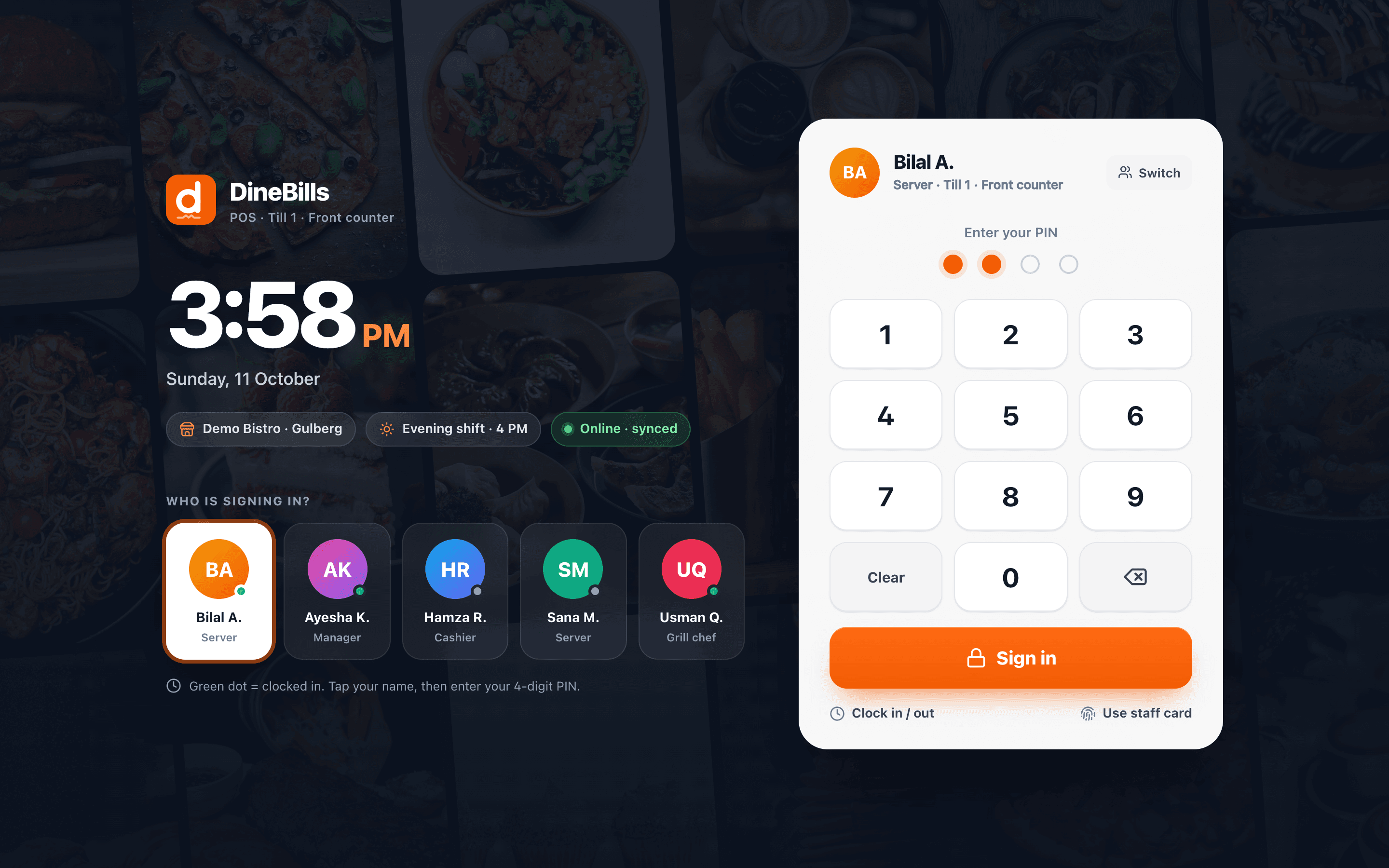
Built for the counter rush and the dining room.
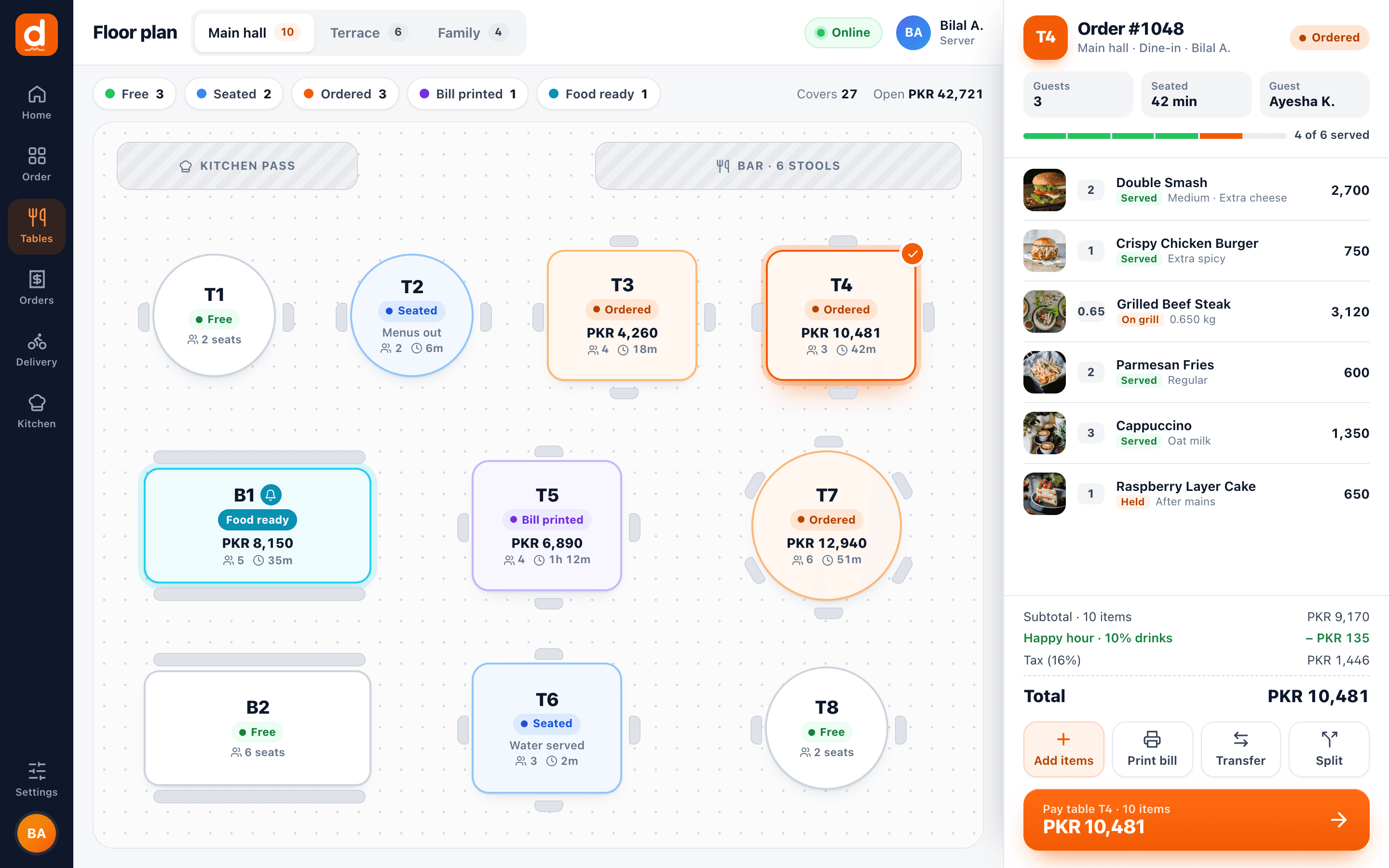
Switch a terminal between quick-service and table-service mode in one tap. At the counter it is items, Pay, tender. In the dining room, open a table from the live floor map, add guests, send to the kitchen and come back for the bill.
- Quick service: items, Pay, tender. Receipt and KOT print on their own
- Table service: live floor map with free, occupied, ordered, bill printed and paid states
- Guest count, item notes and order notes
- Dine-in, takeaway and delivery on the same screen
- Open tables shared between terminals while online
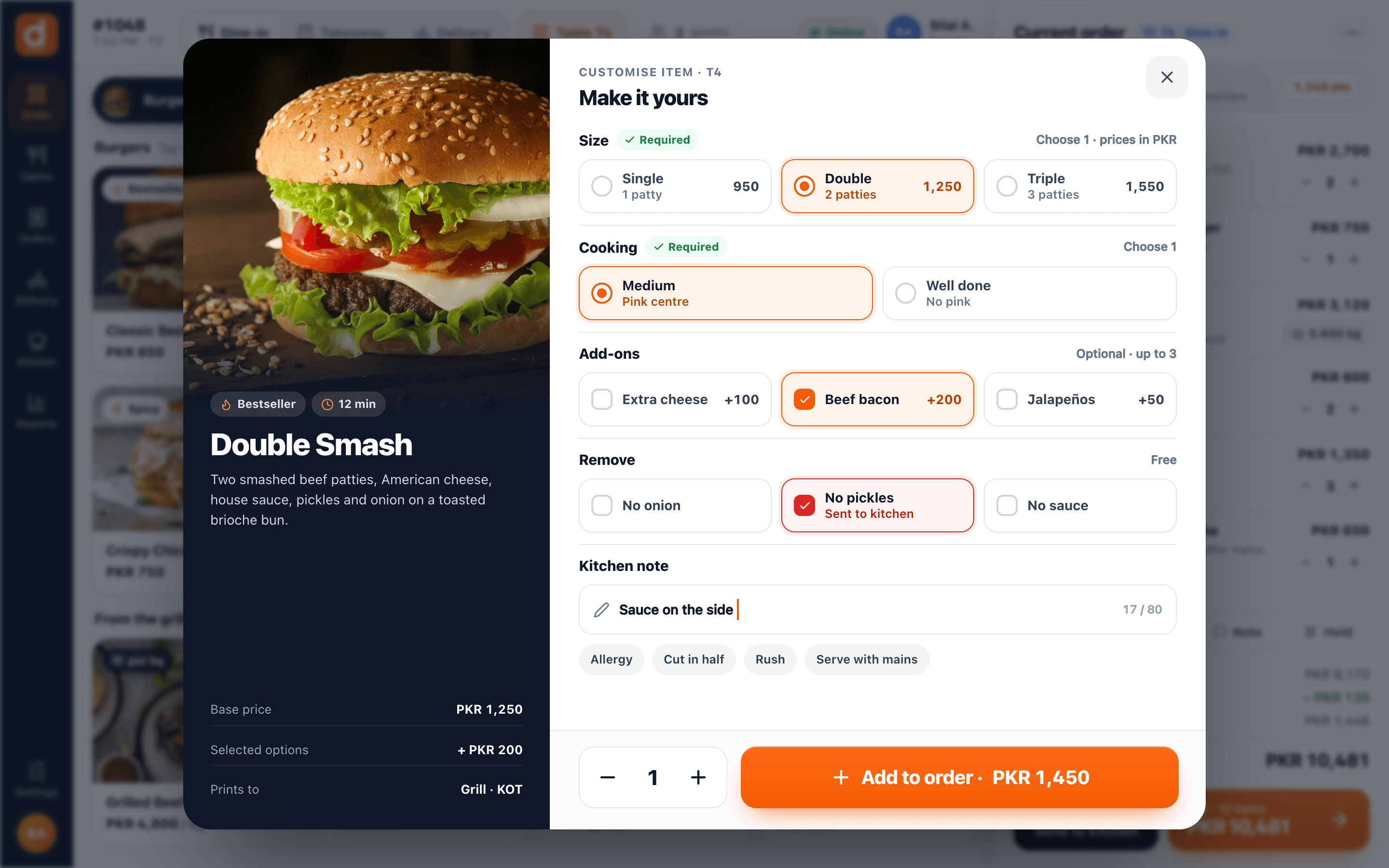
Modifiers, combos and weighed items, exactly as you set them up.
Whatever you build in the back office appears on the till without extra setup. Required choices are asked first, limits are enforced, and the price updates as the cashier taps.
- Required and optional modifier groups with min and max
- Nested modifiers, pizza halves and No / Extra / Light / On the side
- Combos, make-it-a-meal upgrades and choose-X-from-a-group deals
- Weighted items priced per kg, open-price items and barcode scanning
- Search, favourites and repeat item for speed
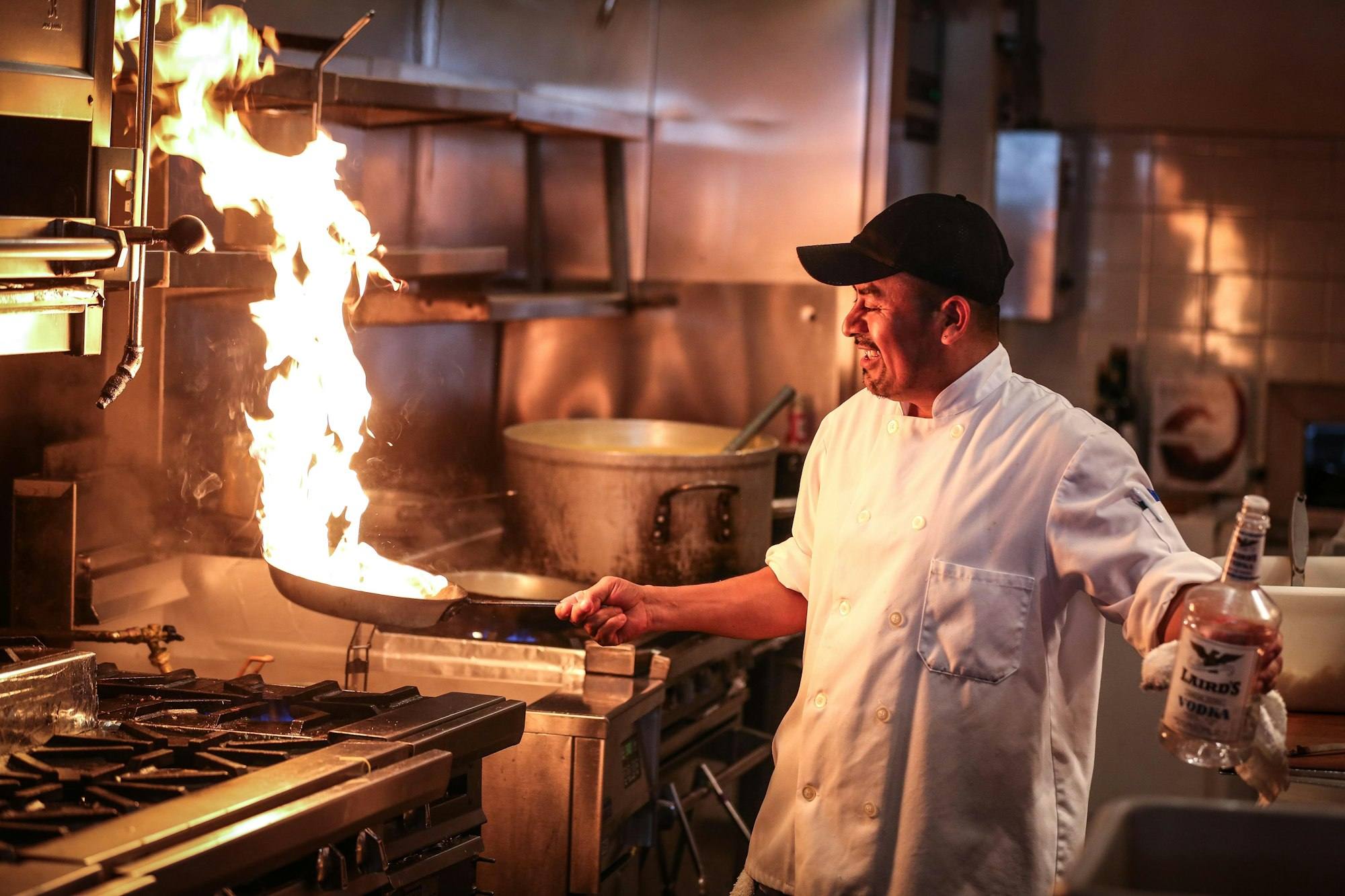
One tap on Send. Every station gets its own ticket.
You decide once, in the back office, where each item goes. At order time there are no prompts and no choosing printers.
KOT per station
Grill items print at the grill, drinks at the bar. Each station gets only its own items.
Printer, screen or both
Send a station to a thermal printer, a kitchen display, or both at once.
Backup printer
If a printer is offline or out of paper, the POS alerts you, retries and falls back to the backup.
Silent printing
Raw ESC/POS straight to the printer. No Windows or Mac print dialog, ever.
Urdu and Arabic tickets
Kitchen names and receipts print in Urdu or Arabic as well as English.
Prints offline too
USB and LAN printers keep working when the internet does not.
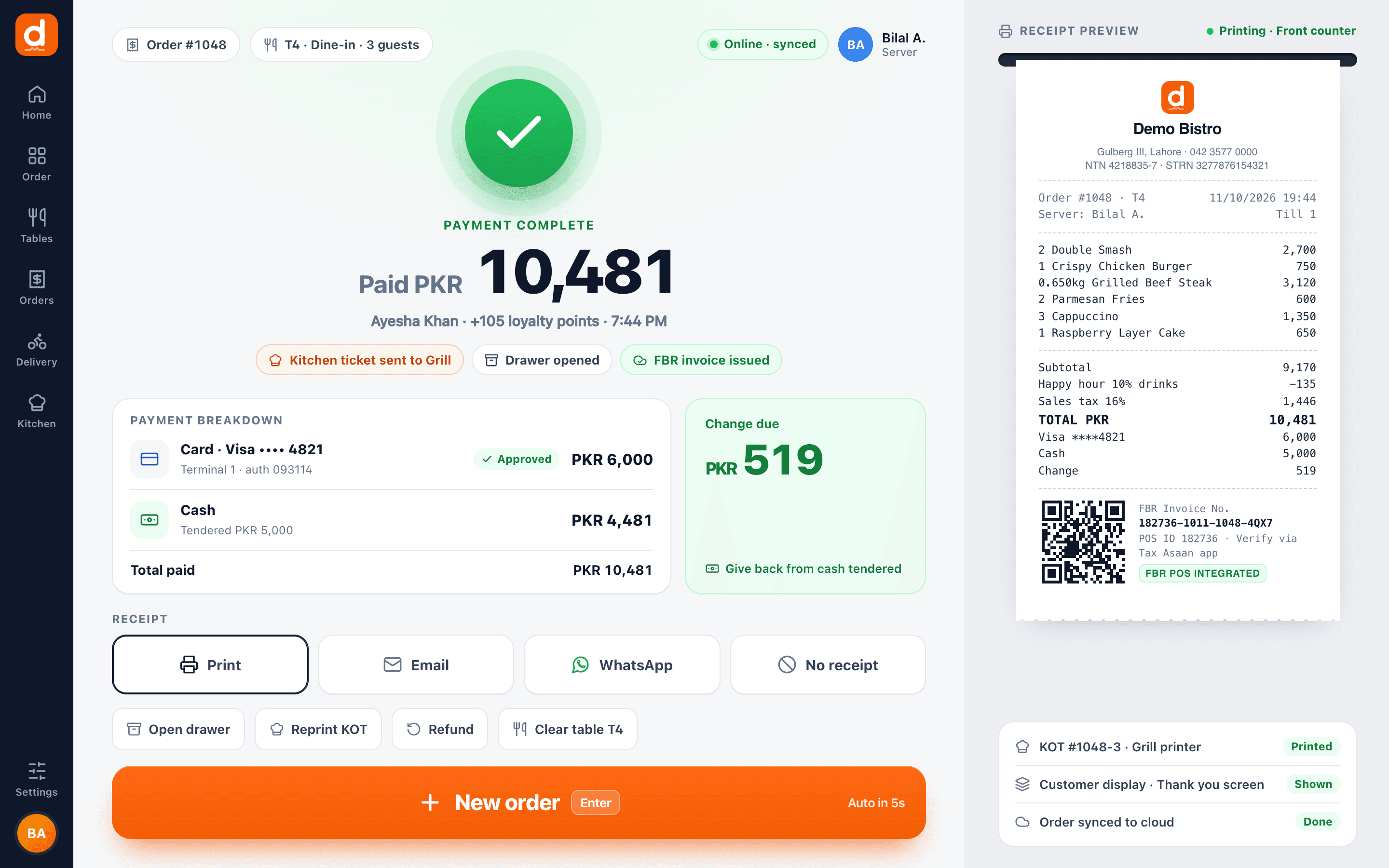
Take the money, print the receipt, open the drawer. Done.
Cash with quick-amount buttons, card on your external terminal, or split across both. When the order is paid, the receipt prints silently, the drawer kicks open and the till is ready for the next guest.
- Cash, card and split tender; tips as preset % or custom
- Split the bill by item, equal share or amount
- Service, delivery and packaging charges
- Receipts and KOTs print silently, with reprint from history
- Full and partial refunds with reasons
- FBR, PRA or ZATCA invoice number and QR on the receipt when a tax integration is on
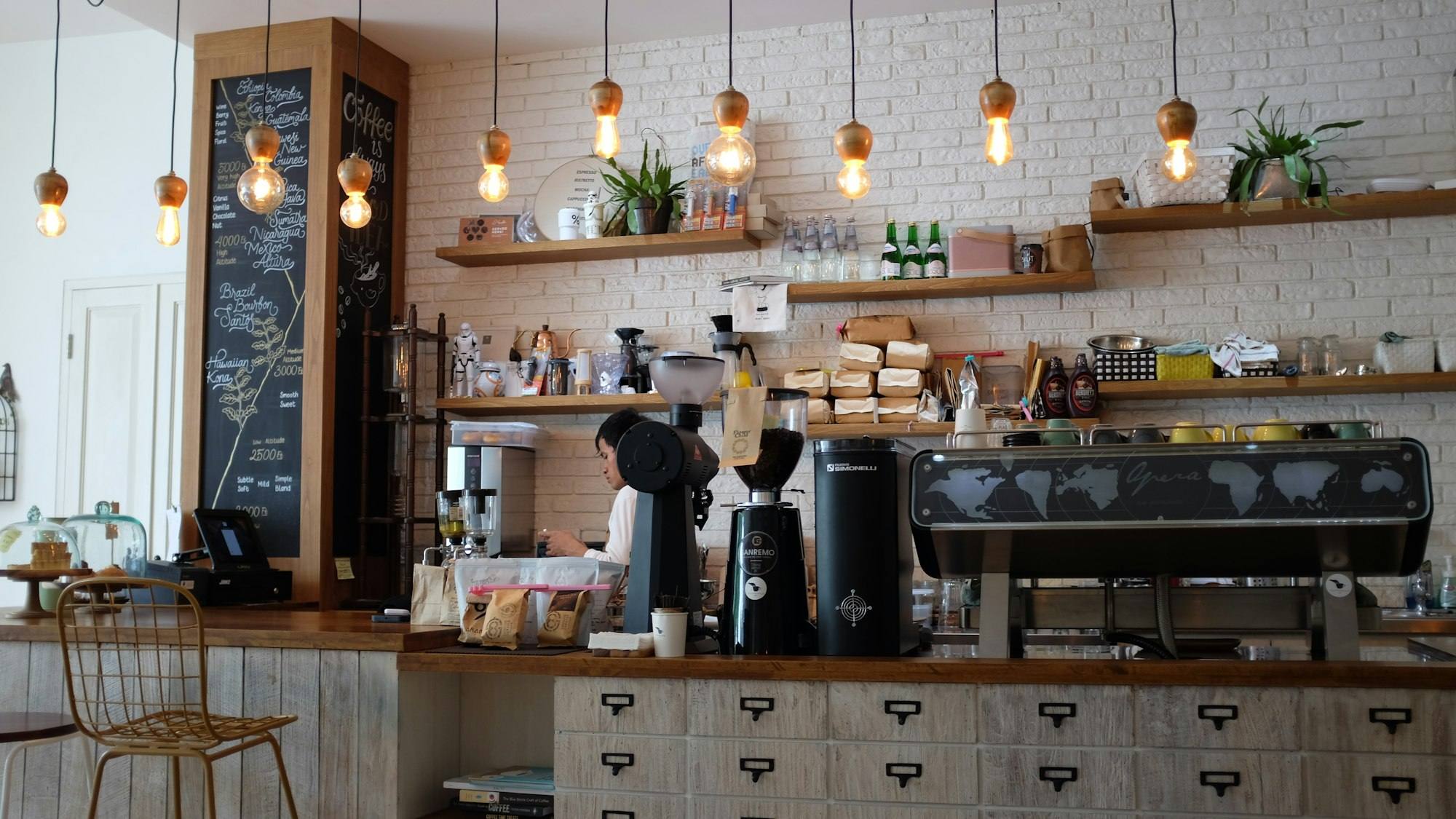
Sell by the kilo without a calculator.
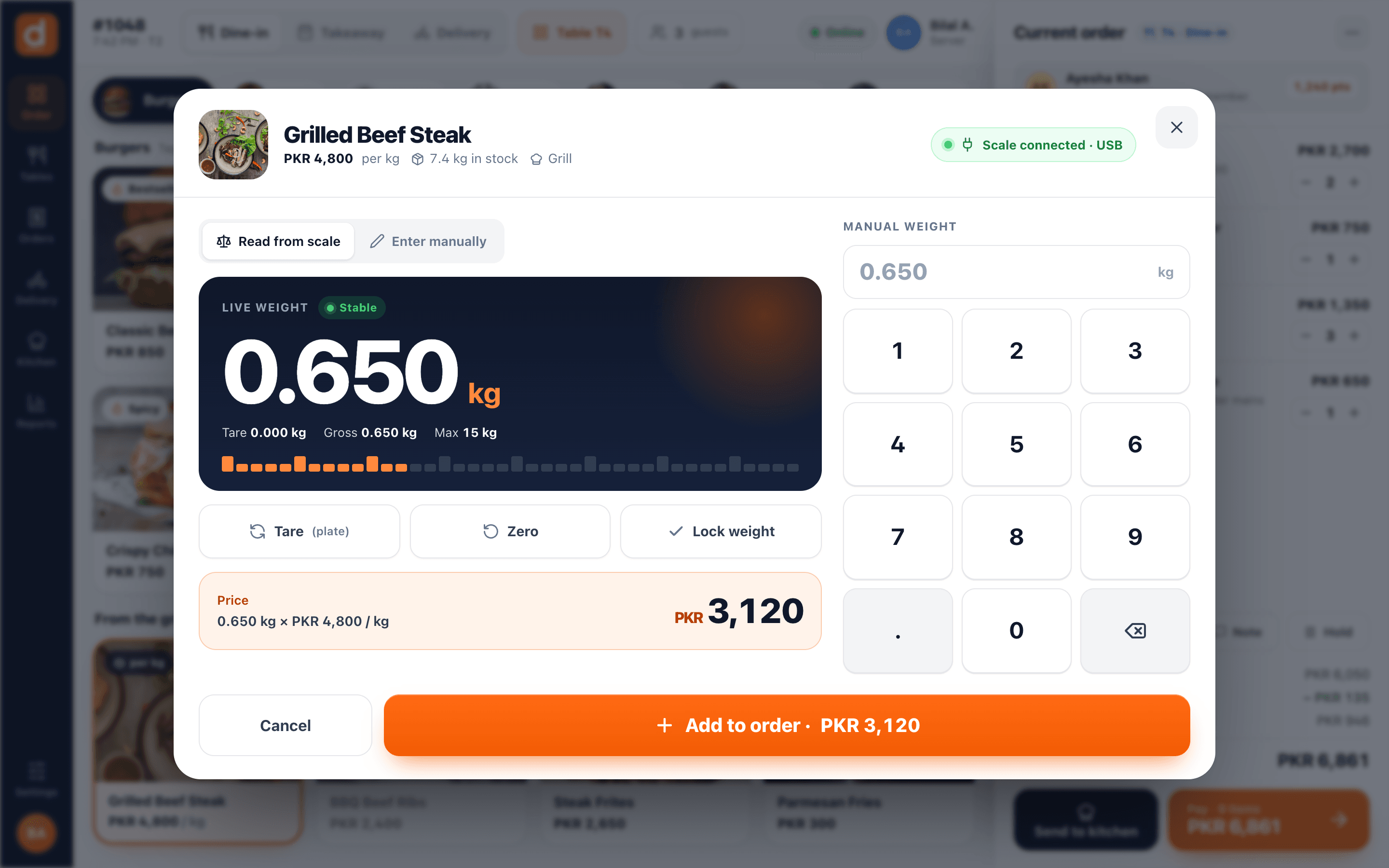
Grills, sweets, bakeries and karahi counters sell by weight. Enter the weight on the number pad and the POS prices it from the per-kg rate, then deducts the exact sold weight from stock.
- Price per kg or per gram
- Manual weight entry on a large keypad
- Stock deducted by the weight sold
Fast for cashiers. Tight for managers.
Everything a manager needs to keep the drawer honest is built into the till, and every sensitive action is written to the audit trail.
Manager approval
Discounts, voids and comps can require a manager PIN and a reason code you define.
Discounts that add up
Item or order level, percentage or fixed, from presets you control in the back office.
Shifts and drawers
Opening float, cash in and out, blind close and multiple drawers per terminal.
X and Z reports
Print a mid-shift X report or close the day with a Z report. Variance is calculated for you.
Keyboard shortcuts
F-keys for search, exact cash and every main screen. Enter to confirm, Esc to go back.
Customer lookup
Find a regular by phone number, see saved addresses and past orders.
Delivery orders
Capture address and zone fee, then settle cash on delivery when the rider returns.
Order history
Search today’s orders on the device, reprint receipts and KOTs, see the end-of-day summary.
Customer-facing display
A second screen shows the guest every item, the total and tip options.
Learn moreFrequently asked questions
Still curious? Talk to our team.
Why does the DineBills POS feel instant?
Because it never waits for the internet. The menu, prices, taxes and deals live in a database on the till, and totals are worked out on the till by the same pricing engine the cloud uses. Every tap is designed to respond in under 50 ms; syncing happens quietly in the background.
What happens if the internet goes down during service?
Nothing changes for your cashier. Orders, payments, shifts and printing all run from the local database on the till. When the connection returns, everything syncs to the cloud automatically and each order is uploaded exactly once.
How are order numbers handled offline?
Each till gives offline orders a local number made of its device code and a sequence, for example T1-0042. When the order syncs, the cloud assigns the branch order number. Receipts and reports show both, so nothing is lost or confused.
Can I run quick service and table service in the same restaurant?
Yes. Each terminal can switch between quick-service and table-service mode, and dine-in, takeaway and delivery orders share the same screen.
Which card machines does the POS work with?
Today the POS records card payments taken on your existing card terminal: the cashier enters the amount and the payment is tracked against the order. DineBills never stores card data.
Can I stop staff from giving discounts or voiding items?
Yes. Roles decide who can do what, and discounts, voids and comps can require a manager PIN and a reason code. Every one of them is recorded in the audit trail with the user, time and order.
Works together, out of the box.
Every DineBills product shares one menu, one set of orders and one back office. Nothing to connect, nothing to re-key.
Put a faster till on your counter this week.
Install the POS on your Windows or Mac computer, pair it with a code from the back office and start selling. We can set up your menu and printers for you.
No credit card required · Setup help included · Cancel anytime