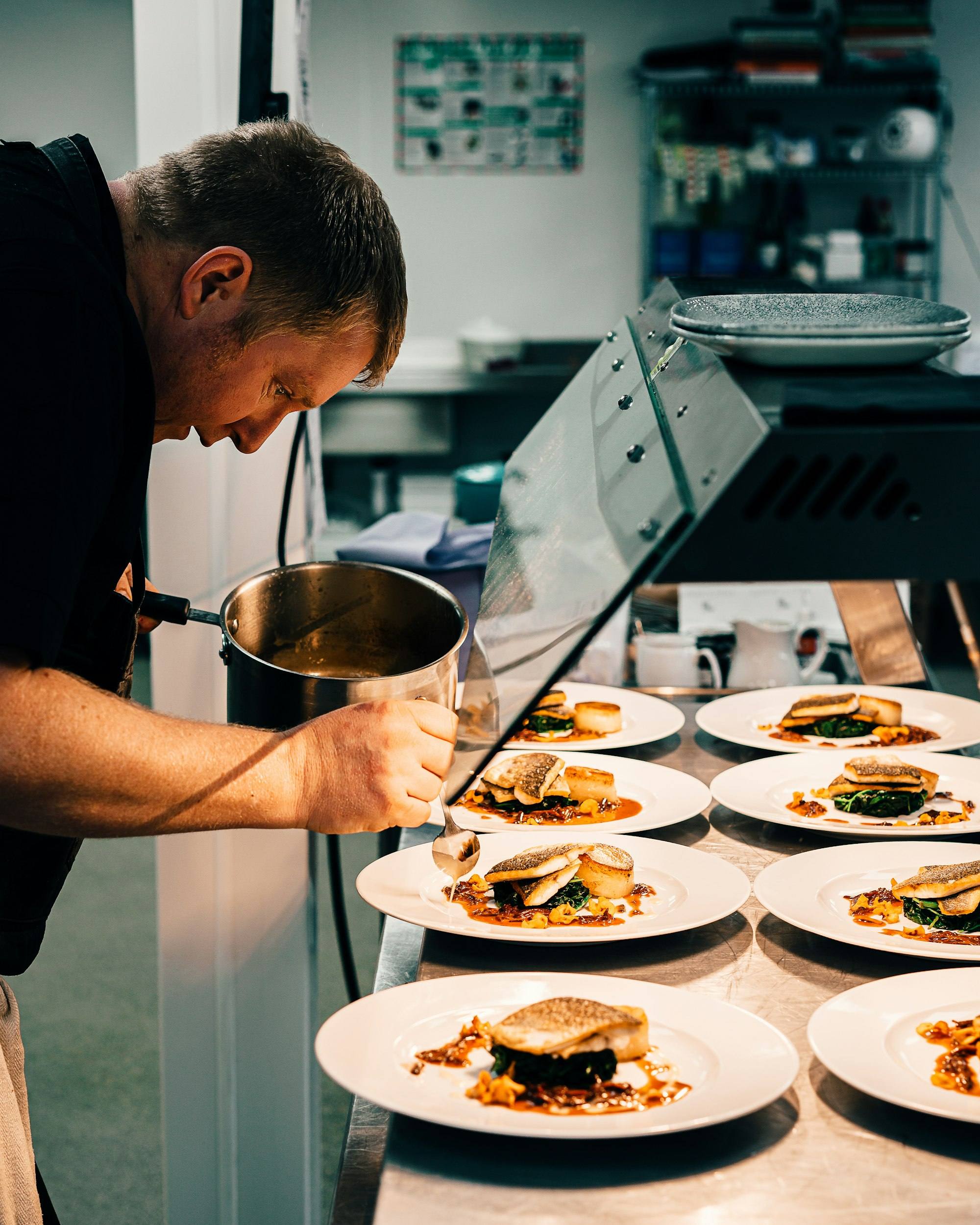
Know what is left in the kitchen without counting it.
Attach a recipe to everything you sell. Every completed order deducts exactly what went into it, from the store, kitchen or bar it came from, so stock on hand and food cost are always current.
- Per-serving deduction
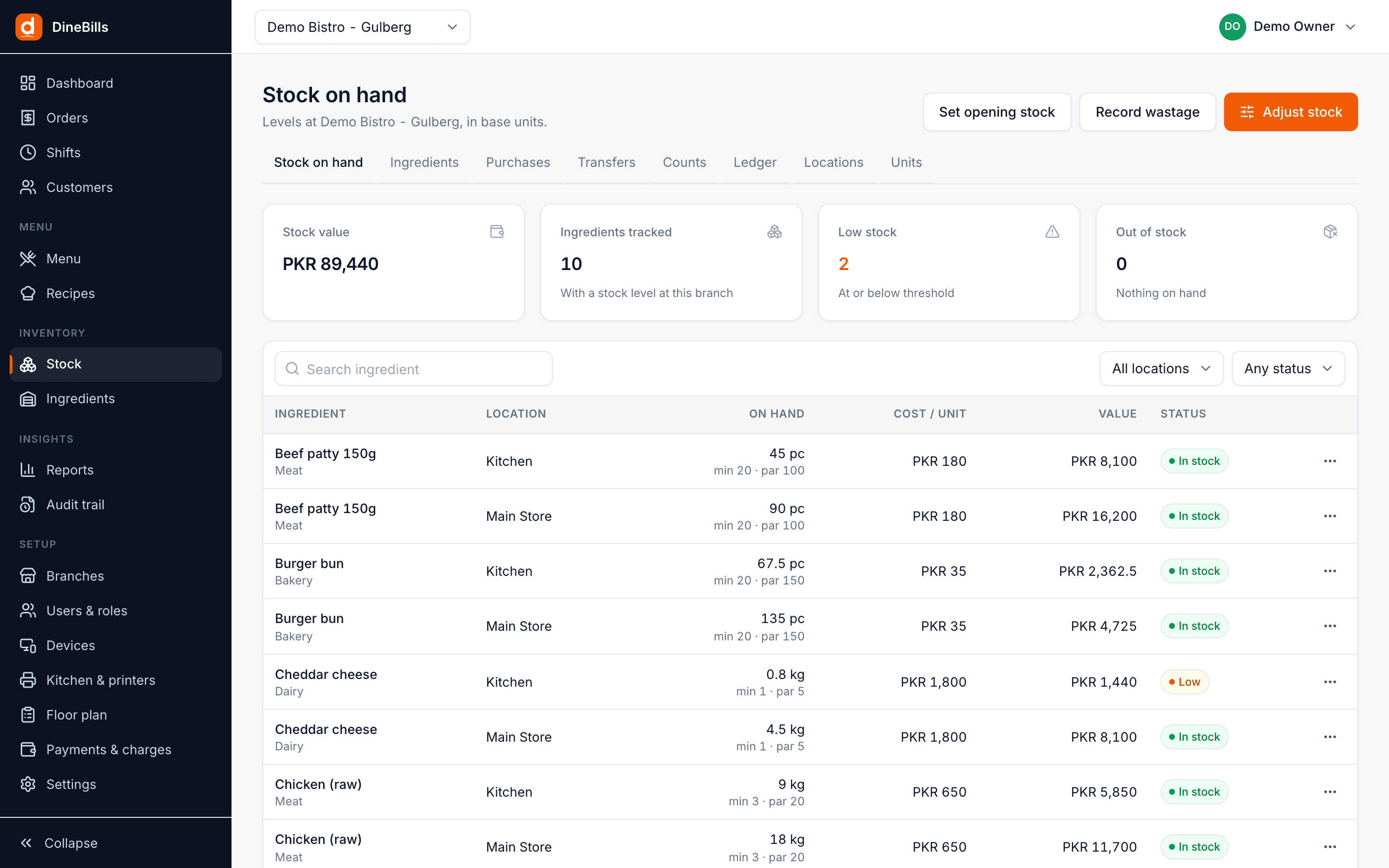
- Stock by location
- Food cost %
- Auto 86
- Item, variant, modifier and deal component can carry a recipe
- Every
- Item, variant, modifier and deal component can carry a recipe
- Stock deducted the moment an order completes
- Per serving
- Stock deducted the moment an order completes
- Main store, kitchen, bar, freezer and more
- Per location
- Main store, kitchen, bar, freezer and more
- Food cost % next to every selling price
- Live
- Food cost % next to every selling price
A recipe on every sellable thing, not just the main dish.
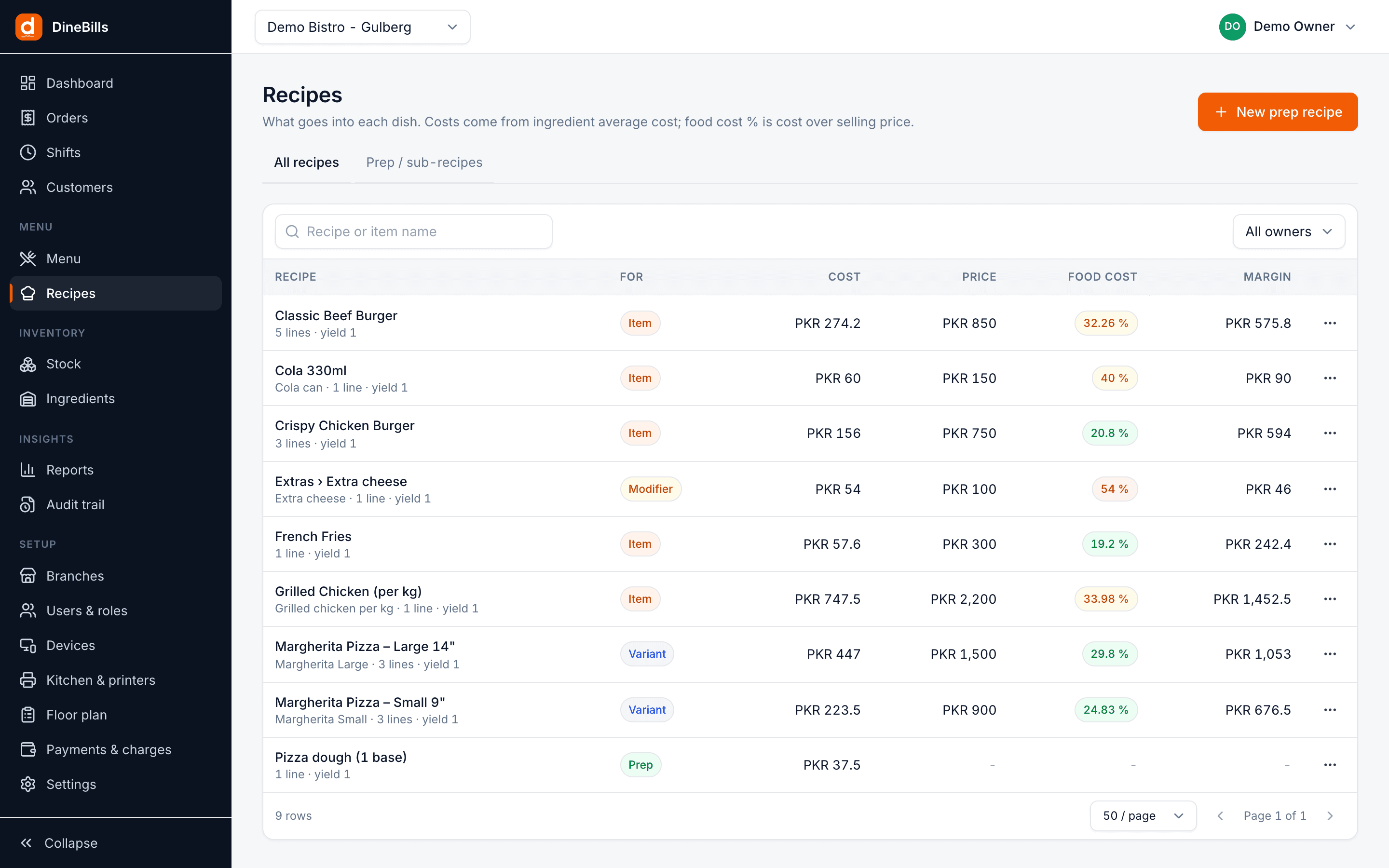
Extra cheese uses cheese. A large pizza uses more dough than a small one. DineBills lets you attach a recipe to every item, variant, modifier and deal component, with sub-recipes for things you prep in-house.
- Ingredients with quantity and unit, with automatic unit conversion
- Sub-recipes for dough, sauces and marinades
- Yield and wastage % for honest costs
- Recipe cost, food-cost % and margin per item
- Prep instructions kept with the recipe
What happens when one burger is sold.
No end-of-day stock sheets. Every completed order updates stock on its own.
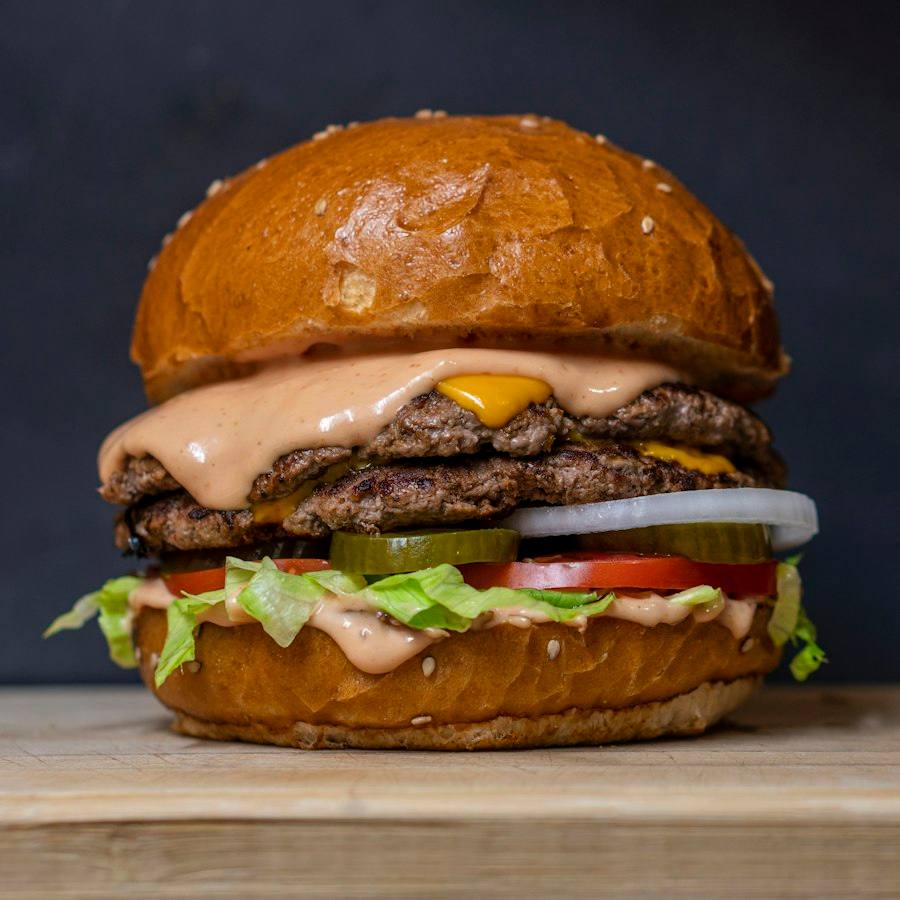
- Beef patty1 pcPKR 180
- Brioche bun1 pcPKR 45
- Cheddar40 gPKR 90
- Lettuce, tomato, onion45 gPKR 25
- House sauce15 gPKR 20
-
Step 1
Burger sold
Classic Beef Burger with extra cheese is paid on the POS.
-
Step 2
Recipe applied
1 patty, 1 bun, 20 g cheese, plus 20 g for the extra cheese modifier.
-
Step 3
Kitchen stock reduced
Deducted from the kitchen location set in the consumption rule.
-
Step 4
Alert if low
Patties drop below threshold, so they show on the dashboard.
Price with the margin in front of you.
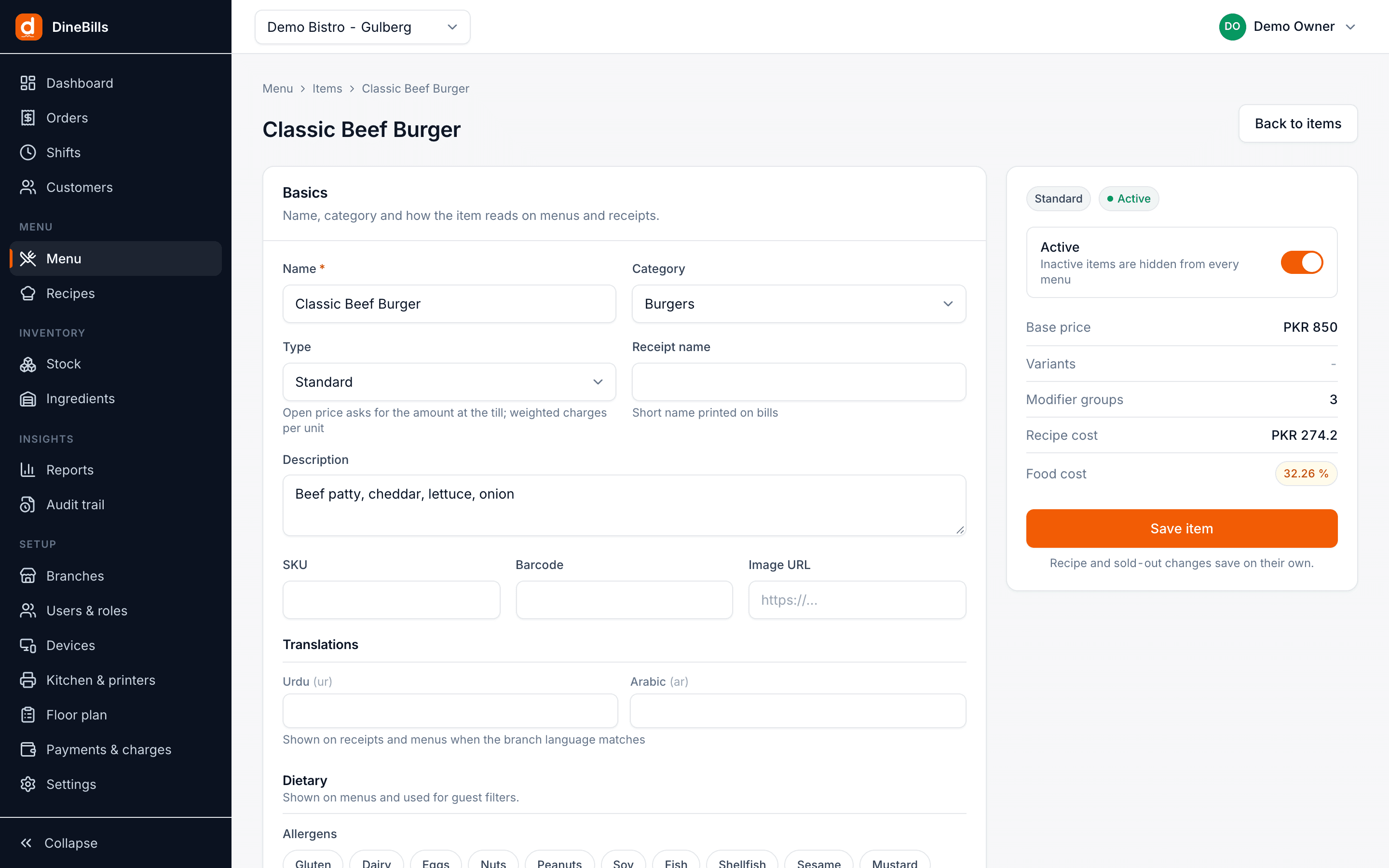
The item editor shows recipe cost and food-cost % right next to the selling price. Change an ingredient cost on a purchase and every recipe that uses it is re-costed.
- Costs from the ingredient’s average cost
- Food-cost % highlighted when it drifts high
- Menu profitability report
Find the gap between what you sold and what you used.
Because every sale deducts by recipe, DineBills knows what should be on the shelf. A count tells you what is. The difference is where your money went.
Consumption report
Ingredients used per period, per item sold and per location.
Variance after counts
Compare counted stock with the system and see which ingredients leak.
Batch and expiry
Track batches and expiry dates, and use the oldest stock first.
Central kitchen
Produce sauces and dough centrally and transfer to branches with full costing.
Every way stock comes in, moves and goes out.
Each movement is written to a ledger with the user, time and order reference.
Purchases
Record supplier, quantity, unit cost and invoice reference. Set opening stock in one go.
Transfers
Move stock from the main store to the kitchen, or between branches.
Stock counts
Enter the physical count, see the variance against the system and apply it.
Wastage
Record spoiled, dropped or expired stock with a reason so it shows in reports.
Movement ledger
Every in, out, transfer and adjustment, with who, when and which order.
Low-stock alerts
Ingredients below threshold show on the dashboard before service, not during it.
Auto 86
When an ingredient runs out, items that need it are marked sold out on every channel.
Units and conversions
Buy in cartons, store in kg, use in grams. Conversions are handled for you.
Stock by location
Main store, kitchen, bar and freezer per branch, each with its own stock on hand and value.
Frequently asked questions
Still curious? Talk to our team.
How does automatic stock deduction work?
Each sellable item, variant, modifier and deal component can have a recipe. When an order is completed on the POS, the ingredients in those recipes are deducted from the stock location set in the recipe’s consumption rule, including the exact weight for weighed items.
Can I track stock separately in the kitchen, bar and store?
Yes. Create as many stock locations per branch as you need, transfer between them, and see stock on hand for each one.
What happens when an ingredient runs out?
Items that depend on it can be marked sold out automatically on the POS, waiter app and online store, so you stop selling what you cannot make.
How is food cost calculated?
Recipe cost is the sum of each ingredient’s quantity times its average cost, adjusted for yield and wastage. Food-cost % is that cost divided by the selling price, shown on every item.
Do I have to set up recipes on day one?
No. You can start selling without recipes and add them item by item. Stock tracking starts for each item as soon as its recipe is in place.
Works together, out of the box.
Every DineBills product shares one menu, one set of orders and one back office. Nothing to connect, nothing to re-key.




Stop guessing what is in the walk-in.
Add your ingredients and recipes, and watch stock on hand and food cost update with every order.
No credit card required · Setup help included · Cancel anytime