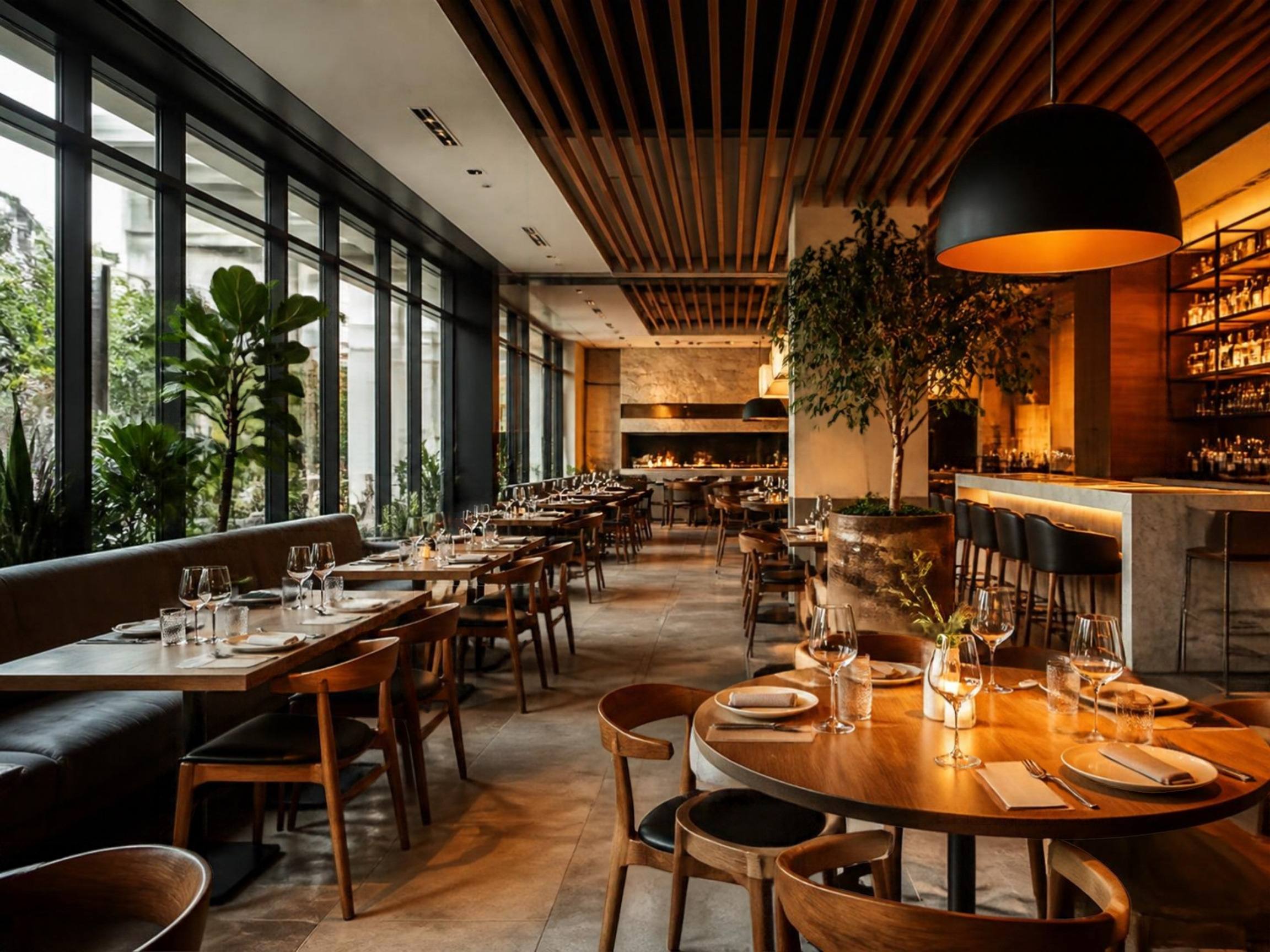
Run every branch from one browser tab.
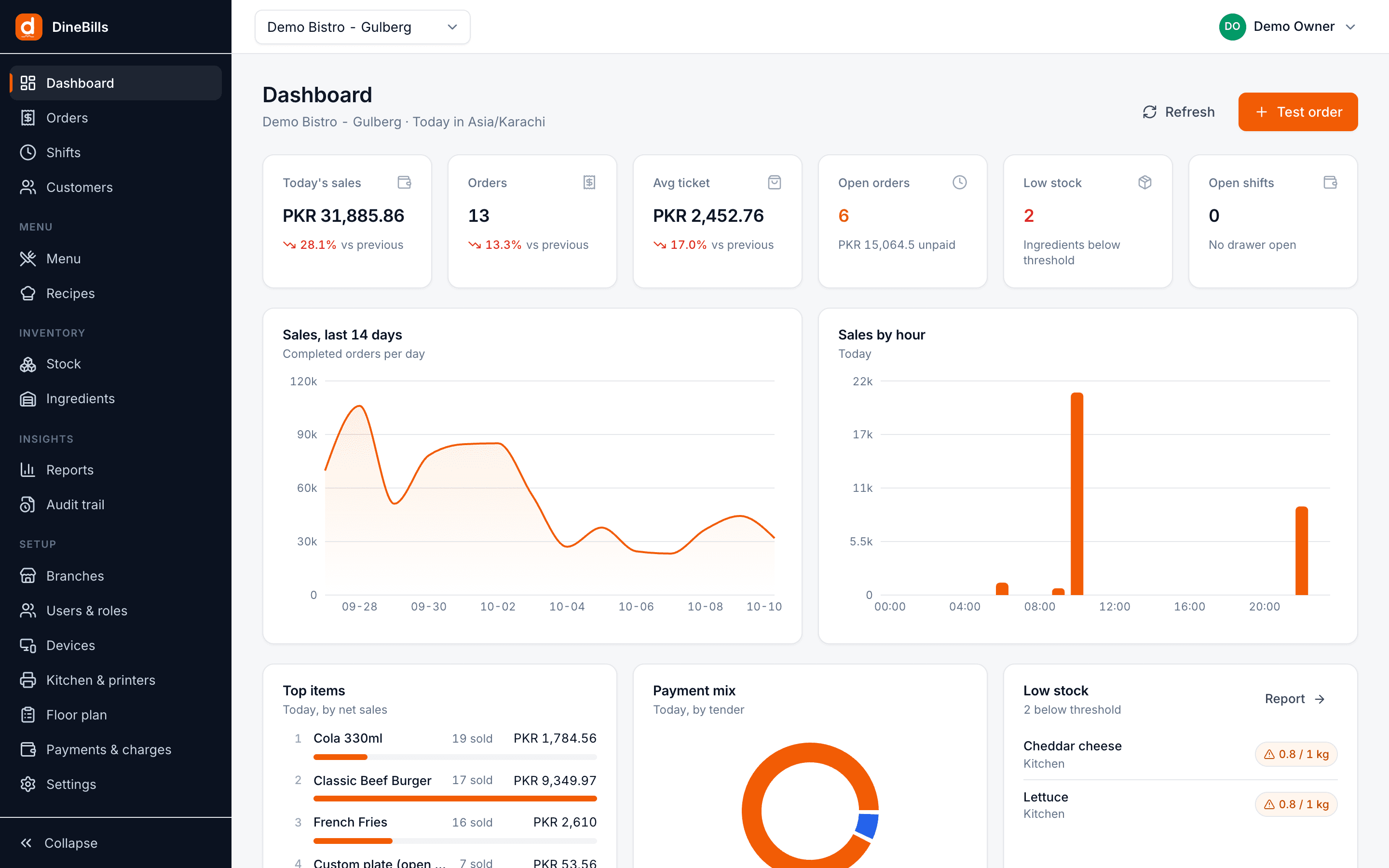
The DineBills portal is where you build the menu, cost recipes, track stock, set taxes and printers, manage staff and devices, and read the numbers. Every POS, kitchen screen, waiter app and online store reads from it.
- Any browser
- Every branch in one place
- Changes live in about a second
- Roles and audit trail
- Areas of the restaurant, in one portal
- 13
- Areas of the restaurant, in one portal
- For a price or 86 change to reach every online device
- ~1 s
- For a price or 86 change to reach every online device
- Browser on any computer, tablet or phone
- Any
- Browser on any computer, tablet or phone
- Branch, brand and device in one login
- Every
- Branch, brand and device in one login
13 areas. 89 things you can set up.
Pick an area to see the real screen and everything it does. Nothing here is a mock-up of a future product unless it is drawn as one.
Menu
Build any menu once. The POS, waiter app, kiosk and website all read from it.
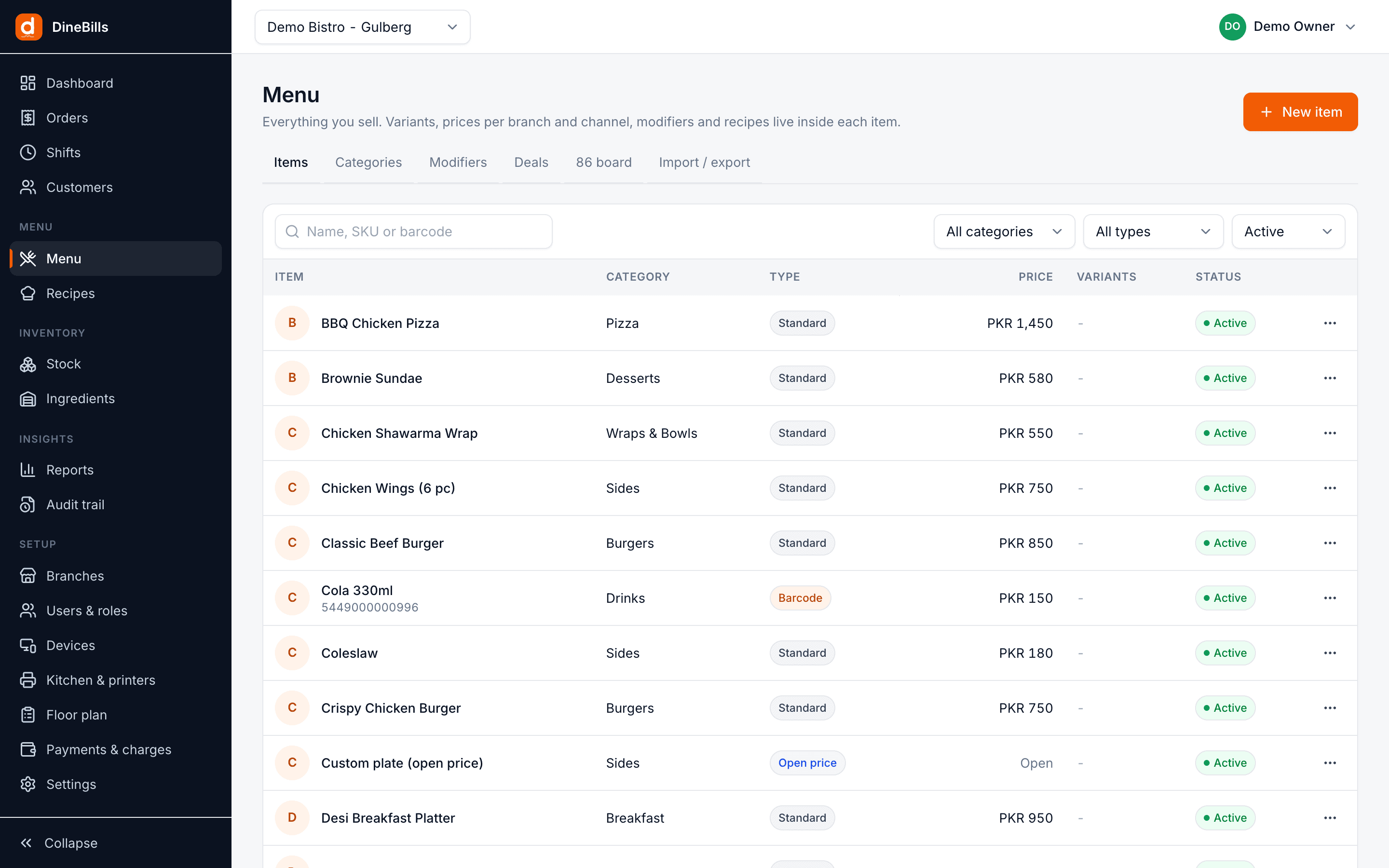
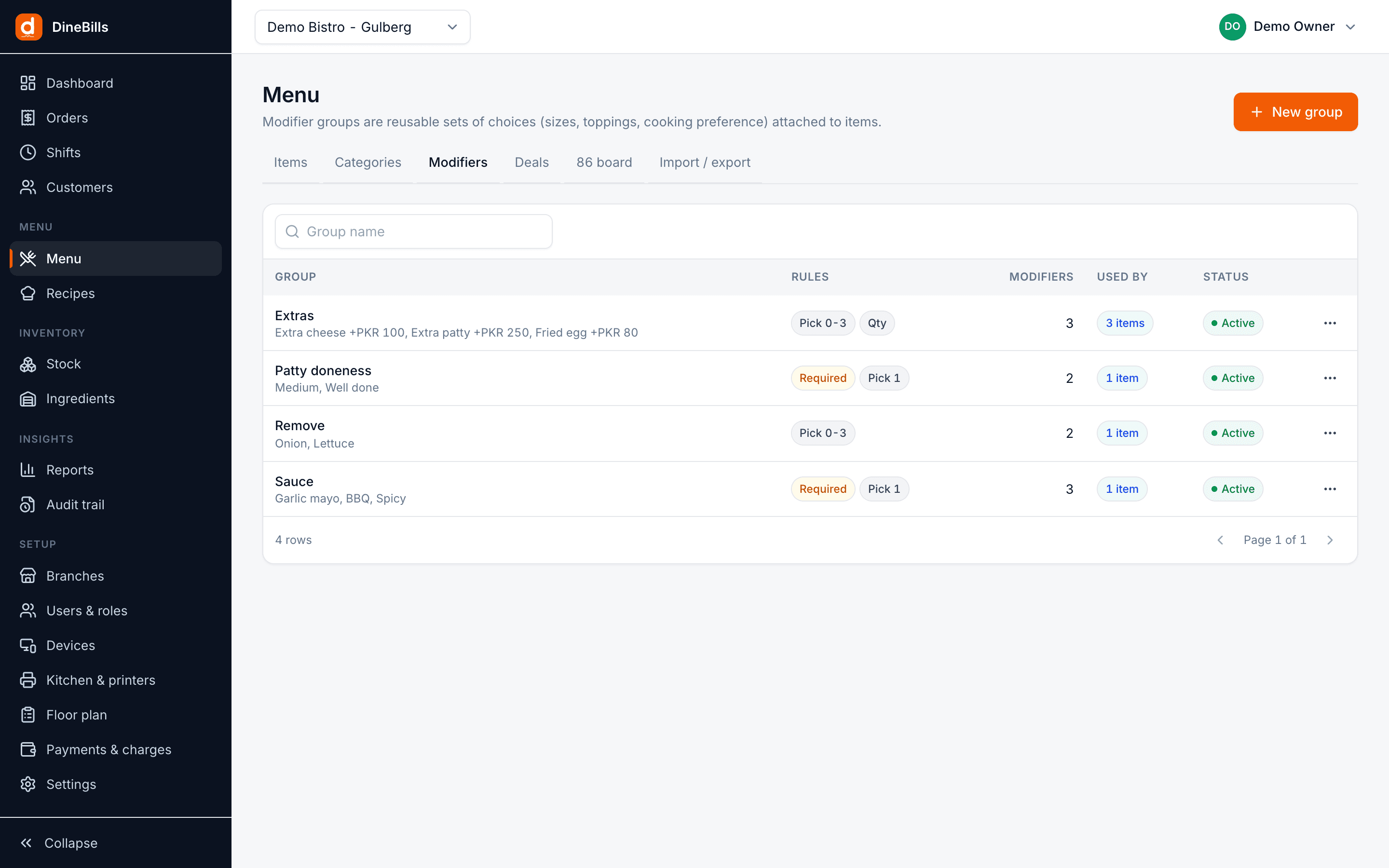
- Categories and sub-categories
- Items with variants and sizes
- Modifier groups with min, max and N free
- Nested modifiers and pizza halves
- Deals and combos: fixed, choose X, make it a meal
- Weighted, open-price, barcode and service items
- Availability and 86 per branch
- Kitchen and receipt names, Urdu and Arabic
- Allergens, dietary tags, spice level, prep time
- Excel import and export
Recipes & food cost
A recipe on every sellable thing, with the cost and margin next to the price.
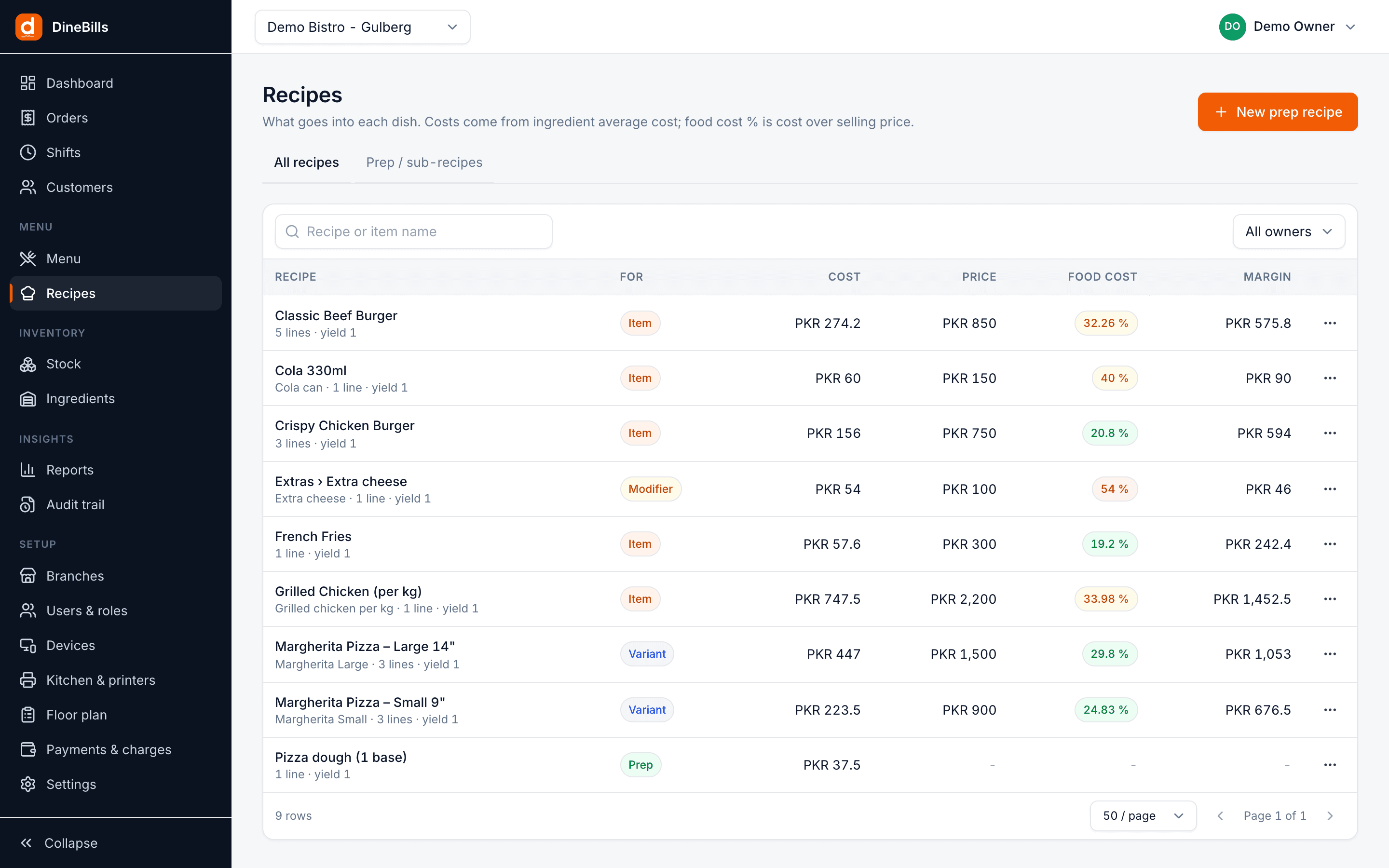
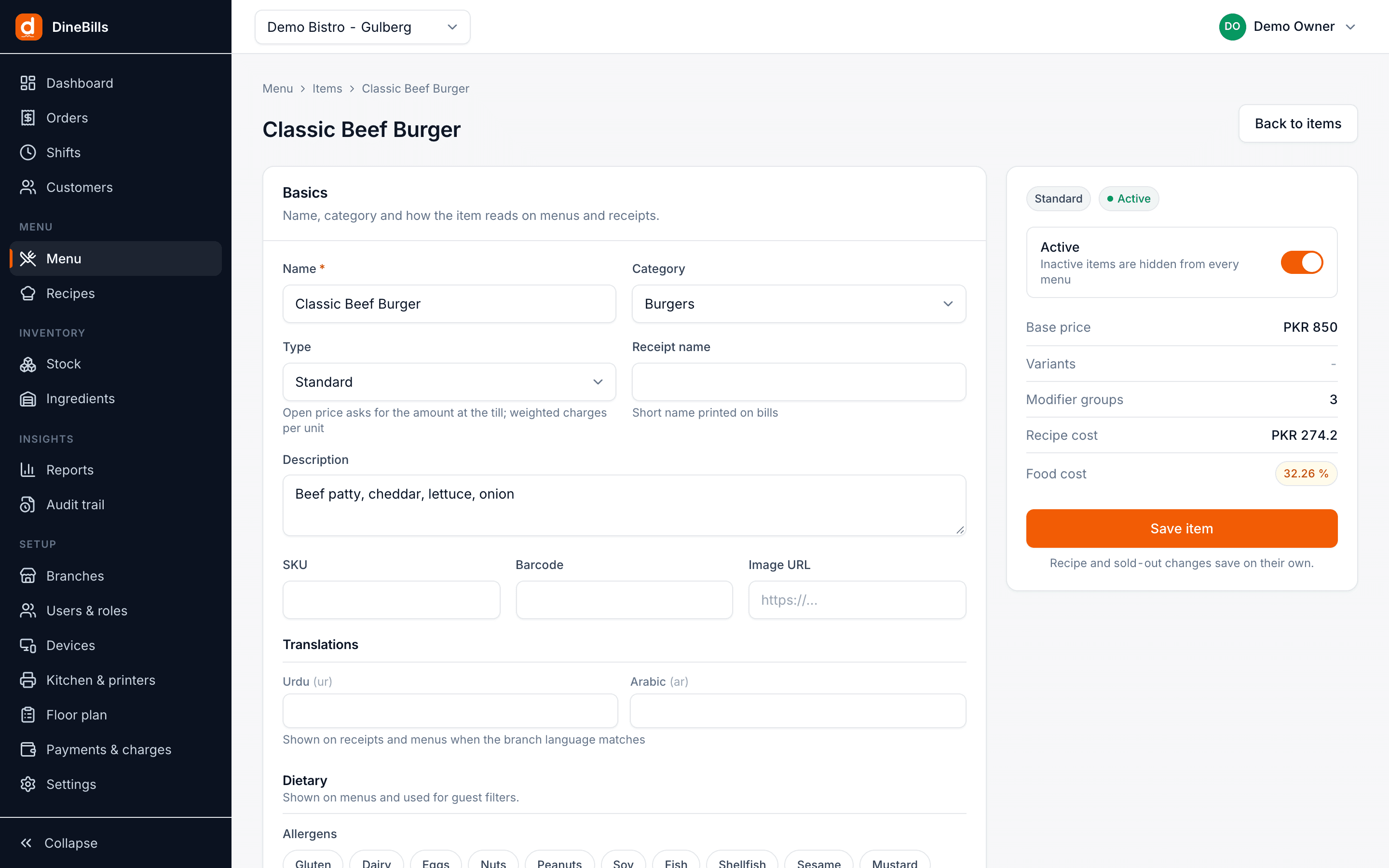
- Recipes on items, variants, modifiers and deal parts
- Prep recipes for dough, sauces and marinades
- Yield and wastage %
- Automatic unit conversion
- Recipe cost and food-cost % per item
- Margin per item and variant
- Consumption rule: which location to deduct from
Inventory
Live stock in every location, moved by sales, purchases, transfers and counts.
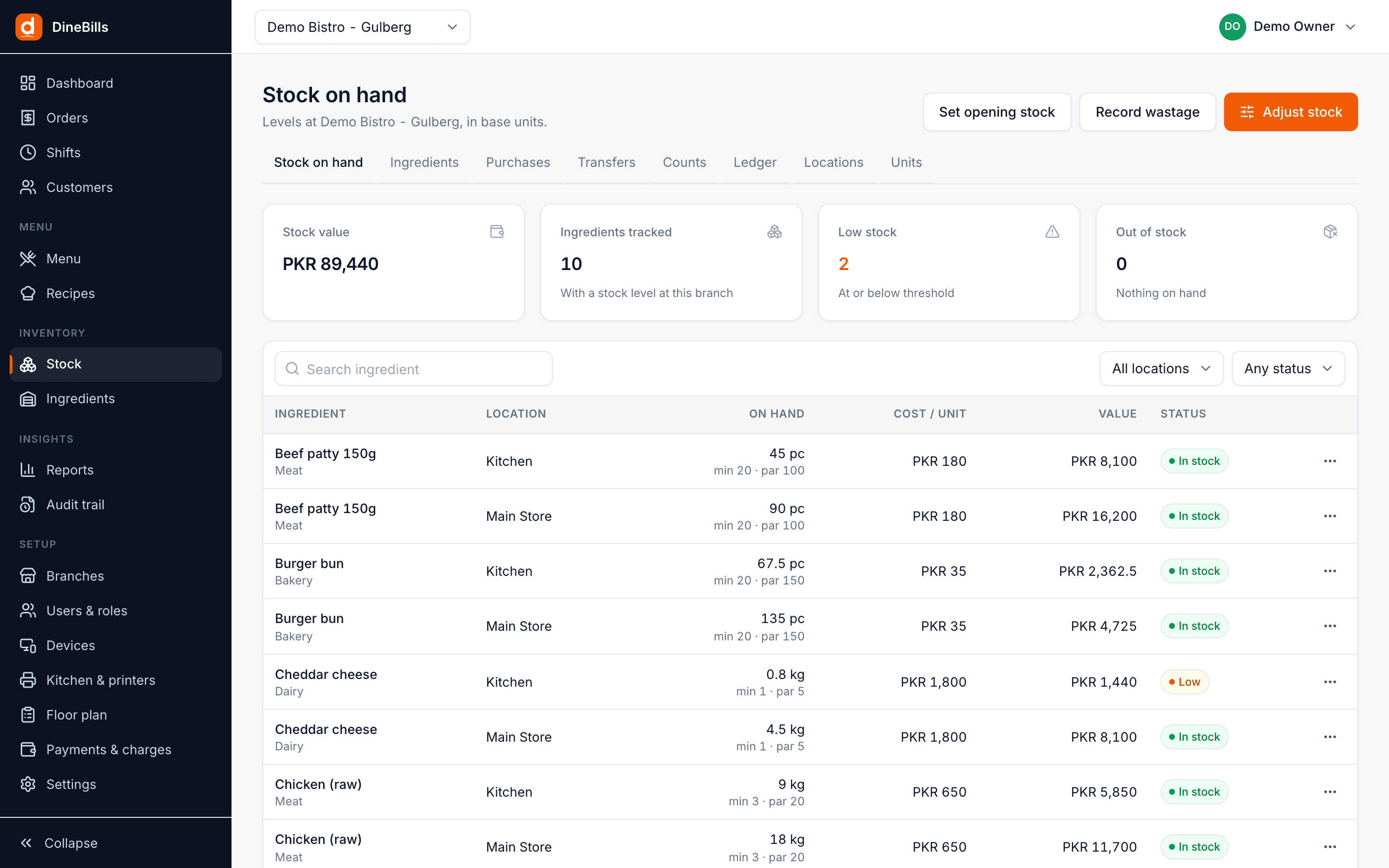
- Units and conversions
- Ingredients with par level and low-stock threshold
- Stock locations per branch
- Purchases with supplier, unit cost and invoice reference
- Transfers between locations and branches
- Stock counts with variance, then apply
- Wastage with reasons
- Full movement ledger
- Low-stock list on the dashboard
- Auto sold-out when an ingredient runs out
Orders
Every order from every till, app and channel, searchable from anywhere.
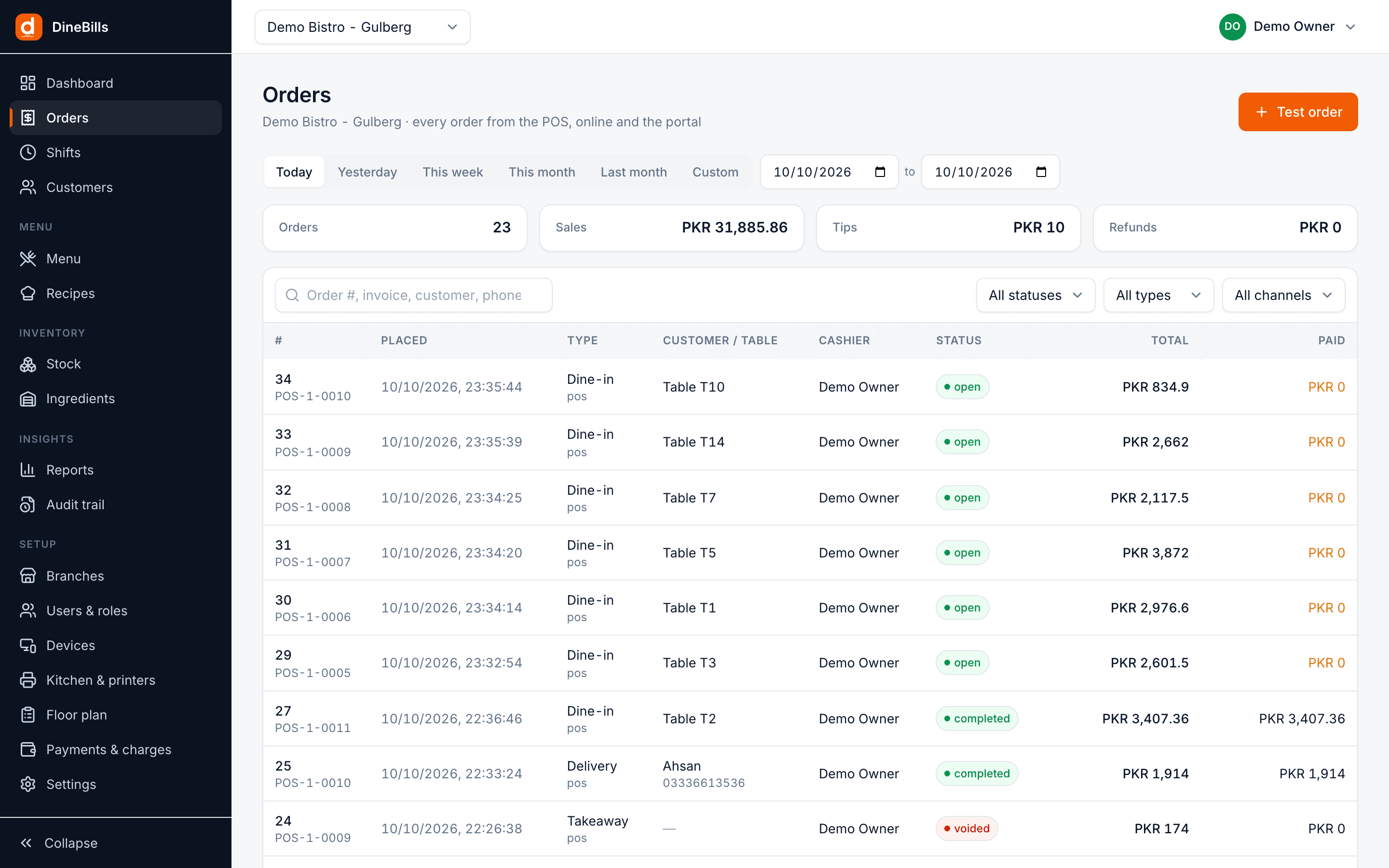
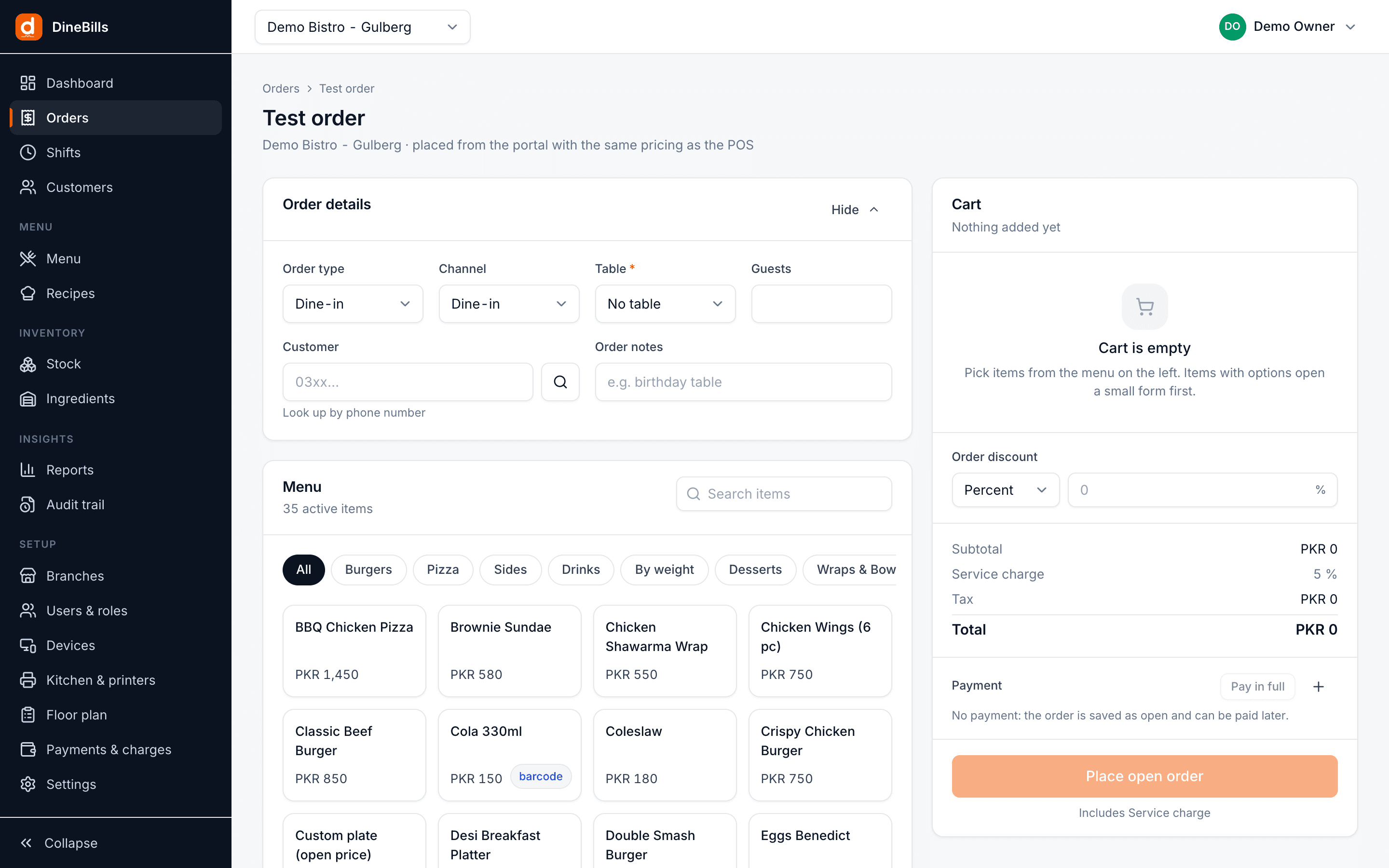
- One list for every channel and branch
- Filter by status, type, channel and date
- Order detail with lines, modifiers and payments
- Full and partial refunds with reasons
- Reprint the receipt
- New order from the browser for phone and advance orders
- Attach a customer and a delivery address
Sales setup
Taxes, charges and payment rules per branch. The tills follow them exactly.
| Name | Rate | Type | Applies to |
|---|---|---|---|
| Sales tax | 16% | Exclusive | All order types |
| Service charge | 10% | Charge | Dine-in |
| Delivery fee | PKR 150 | Charge | Delivery |
| Packaging | PKR 30 | Charge | Takeaway |
| Payment methods | Cash, card, wallet | Tender | All branches |
- Order types with your own numbering
- Taxes inclusive or exclusive, per item or category
- Service, delivery and packaging charges
- Discount presets, % or fixed
- Payment methods, including custom wallets
- Tip presets
- Reason codes for voids, refunds, comps and wastage
- Tax authority reporting such as FBR, PRA and ZATCA
Floor plan & tables
Draw the dining room once; the POS and waiter app show the same live map.
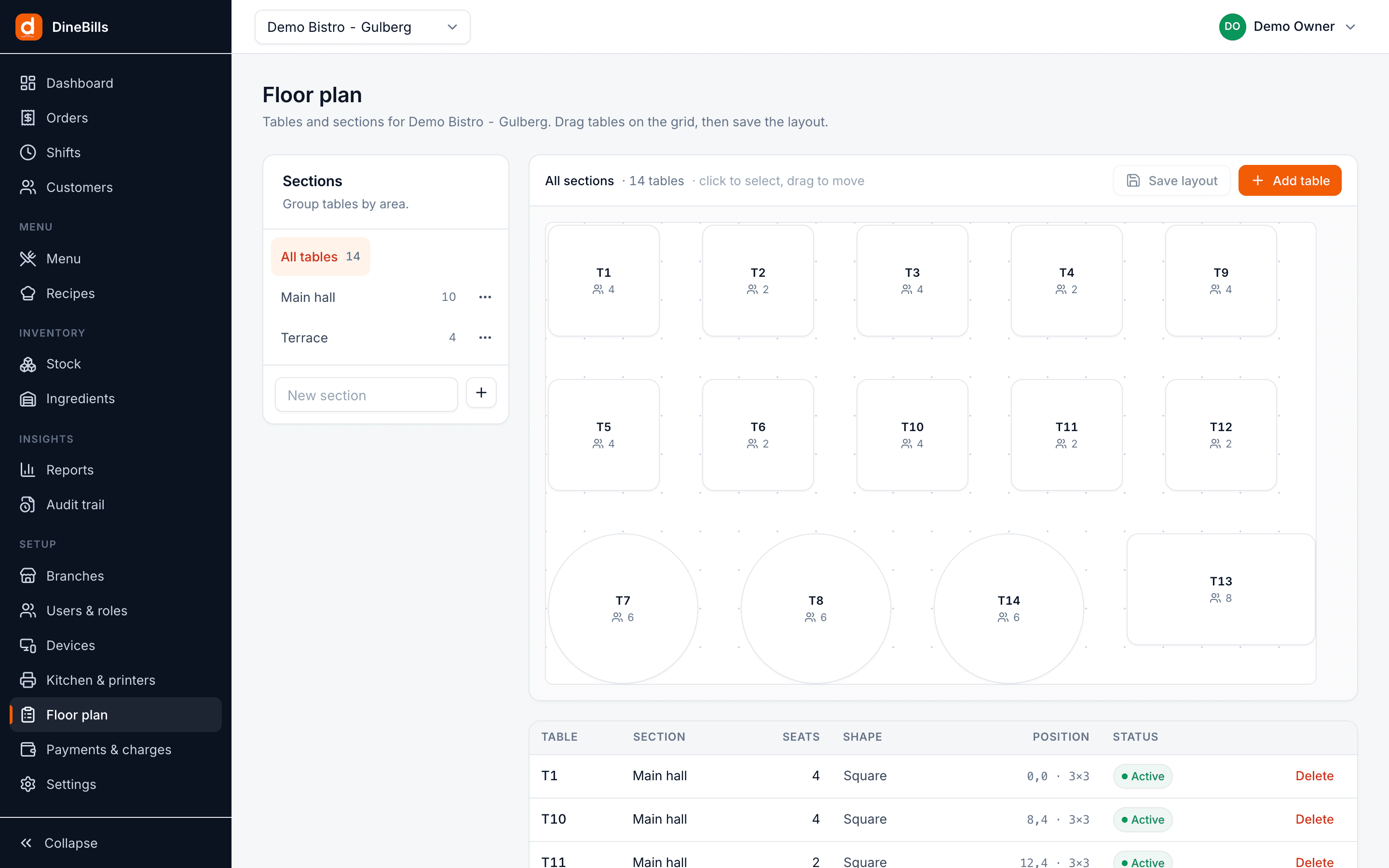
- Sections such as Main hall and Terrace
- Square and round tables with seat counts
- Arrange tables the way the room really is
- A QR code per table for ordering at the table
- Same map on the POS and waiter app
Kitchen & printing
Decide once where every ticket goes. Nobody chooses a printer at order time.
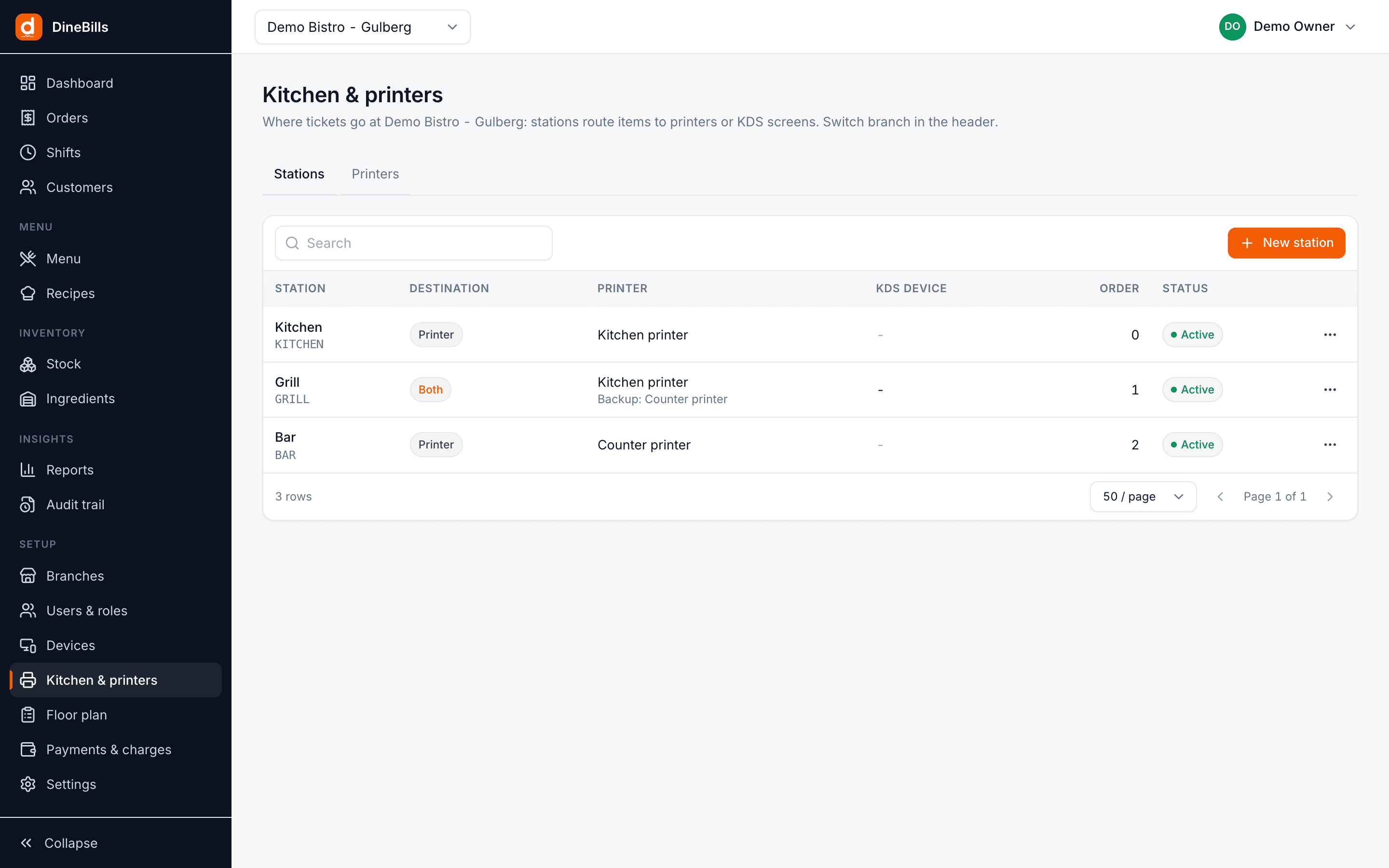
- Kitchen stations such as Grill, Fryer and Bar
- Route by item or by category
- Destination: Printer, KDS or Both
- Backup printer per station
- Bill printer per terminal
- Receipt and KOT templates with logo, header, footer and copies
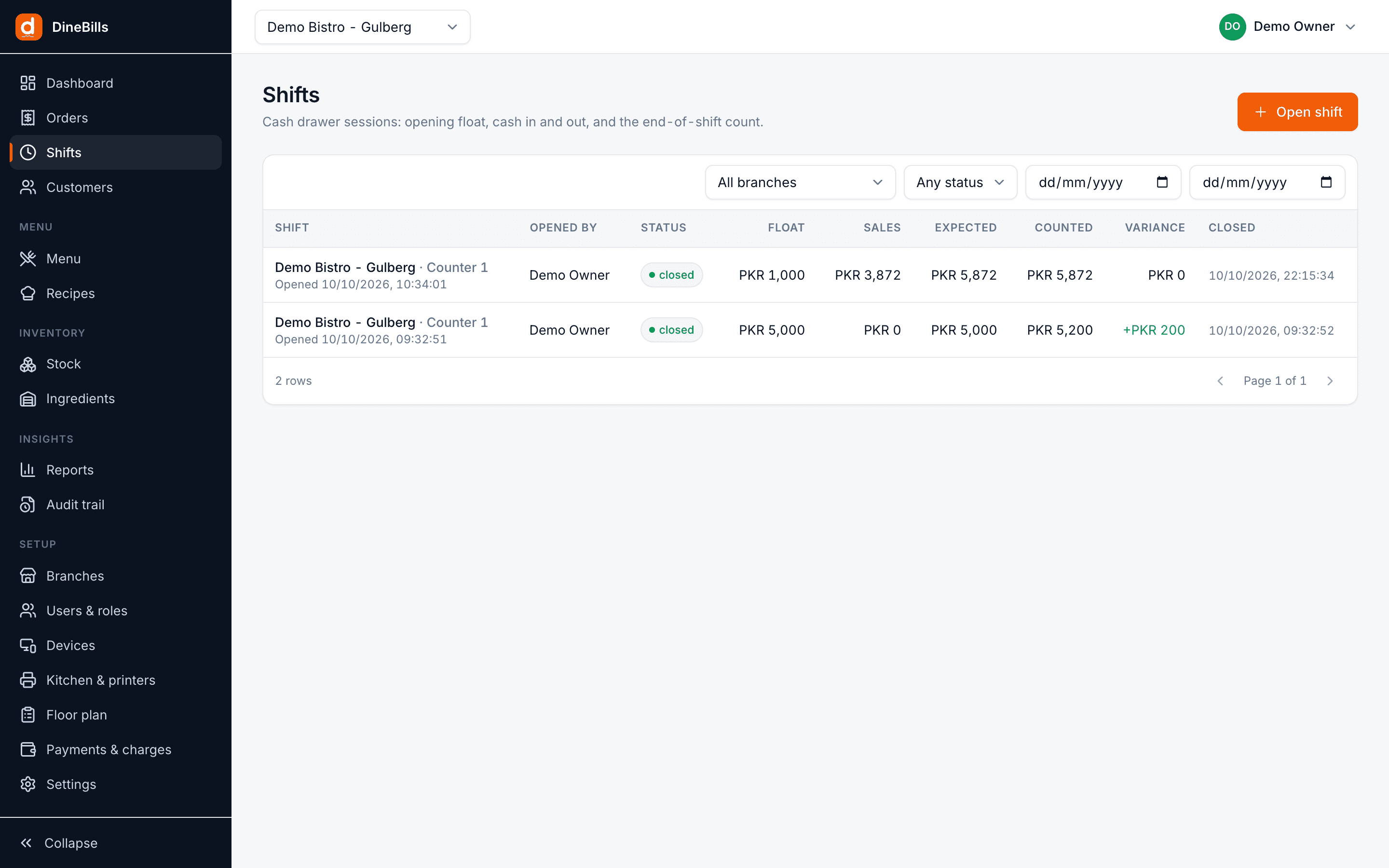
Staff & shifts
Who can do what, where, and what happened to the cash on every shift.
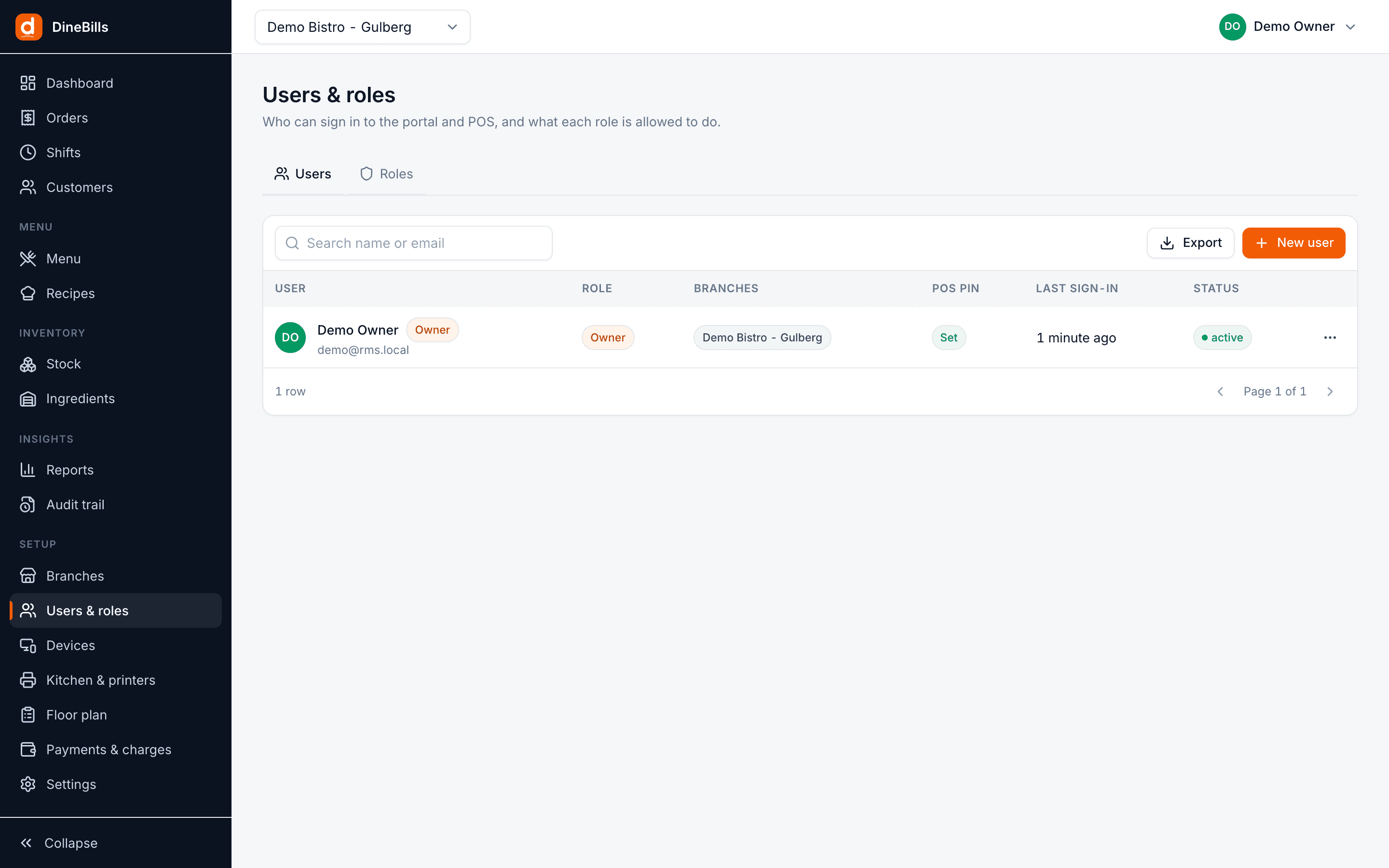
- Invite users by email
- Roles with granular permissions
- A POS PIN per person
- Branch access per user
- Shifts with opening float and cash in and out
- Expected against counted cash, with variance
- Shift history per terminal
Devices
Every till, kitchen screen and phone is registered, so every action traces back to it.
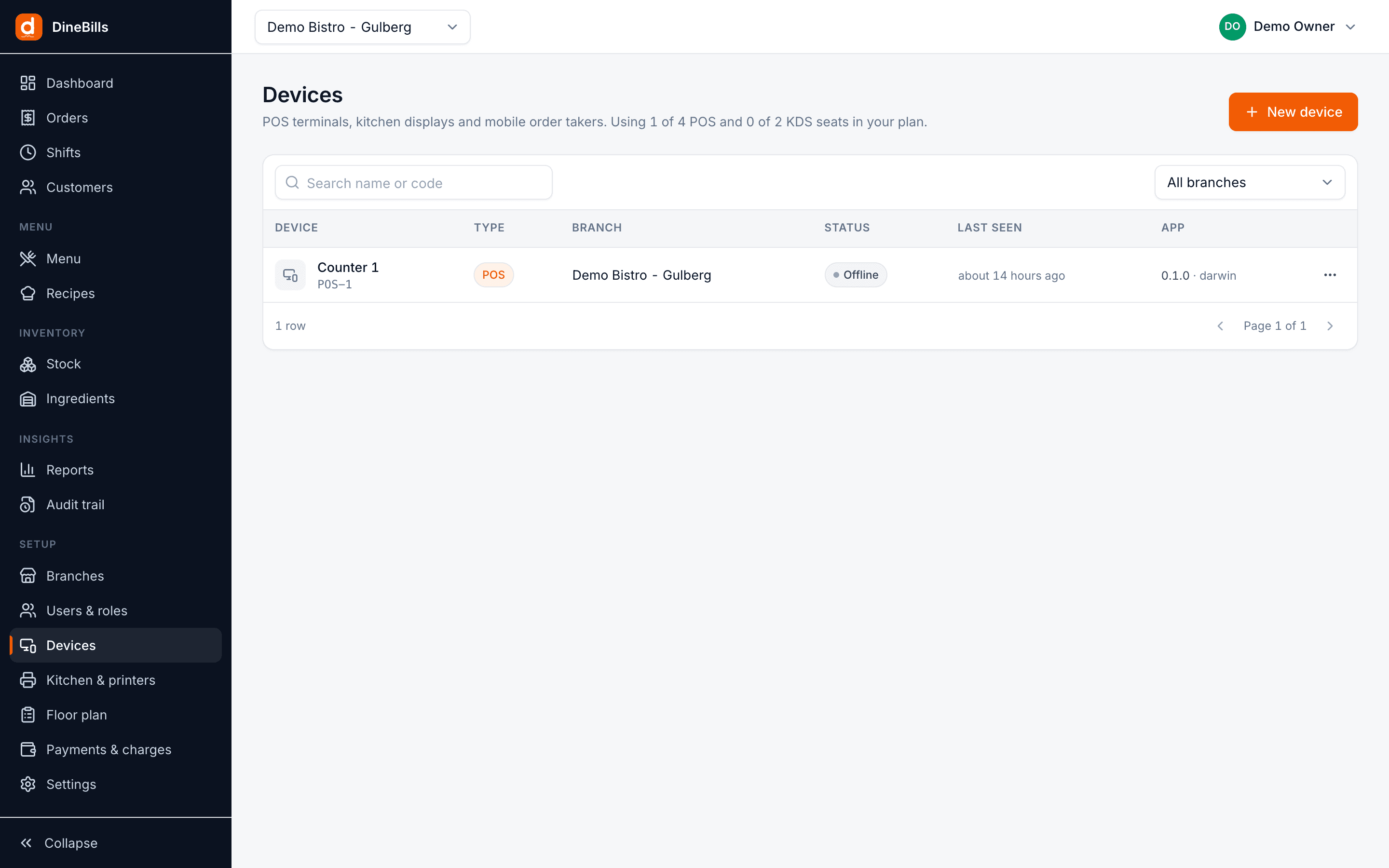
- Pair a POS, KDS or waiter app with a code
- Device seats per plan
- Online status and last seen
- Log a device out remotely
- Its own revocable token per device
Customers
One customer list for the counter, the phone and the website.
| Name | Phone | Orders | Last order | Tag |
|---|---|---|---|---|
| Hira Qureshi | 0300 •••• 567 | 14 | Today | Regular |
| Systems Ltd | 042 •••• 901 | 31 | Yesterday | Corporate |
| Ali Raza | 0321 •••• 112 | 3 | 12 Oct | Delivery |
| Sana Malik | 0333 •••• 480 | 8 | 9 Oct | Regular |
- Profiles with phone and email
- Saved delivery addresses
- Tags and notes
- Order history across every channel
- Phone lookup on the POS and order entry
- Export to CSV
Branches
Every branch in one login, each with its own hours, currency and prices.
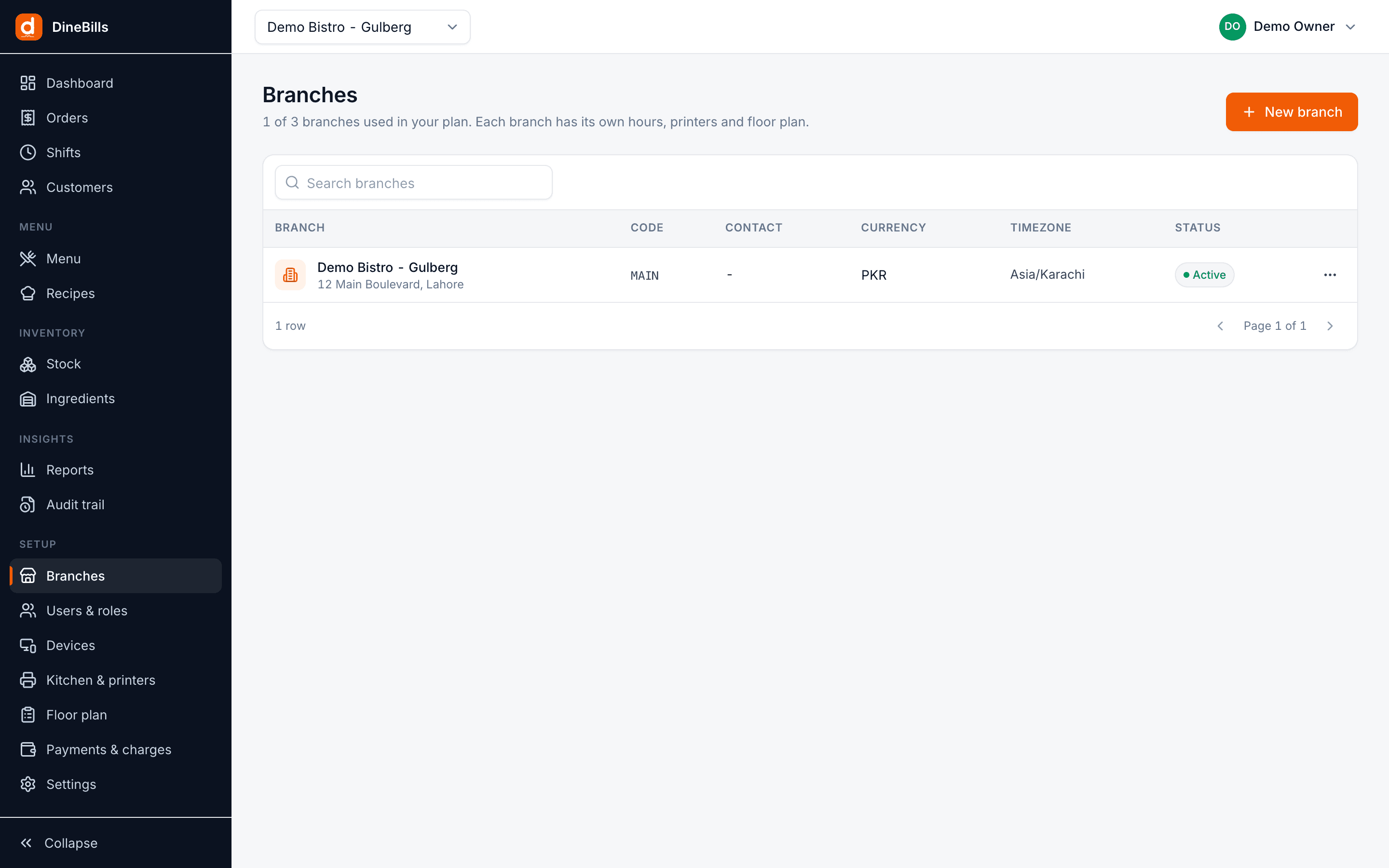
- Address, hours and time zone
- Currency and number format
- Languages, including right-to-left
- Branch prices and availability
- Branch switcher on every screen
- Several brands under one company
Audit, alerts & setup
A record of every sensitive action, and the emails that keep you informed.
| When | User | Action | Where |
|---|---|---|---|
| 21:42 | Usman (Manager) | Voided 1 × Zinger, reason: wrong item | Counter 1 |
| 21:15 | Ayesha | Discount 10% on #1047, approved by Usman | Counter 2 |
| 18:03 | Owner | Price of Classic Beef Burger 850 → 900 | Portal |
| 17:30 | Bilal | Opened drawer, no sale | Counter 1 |
- Audit trail: voids, discounts, refunds, price and setting changes
- Who, when, which device and which branch
- Welcome, low-stock and daily summary emails
- Your sender name, reply-to and wording
- Onboarding checklist for a new restaurant
- Company profile and CSV exports
Reports
Fifteen ready-made reports that follow the branch switcher and export to Excel.
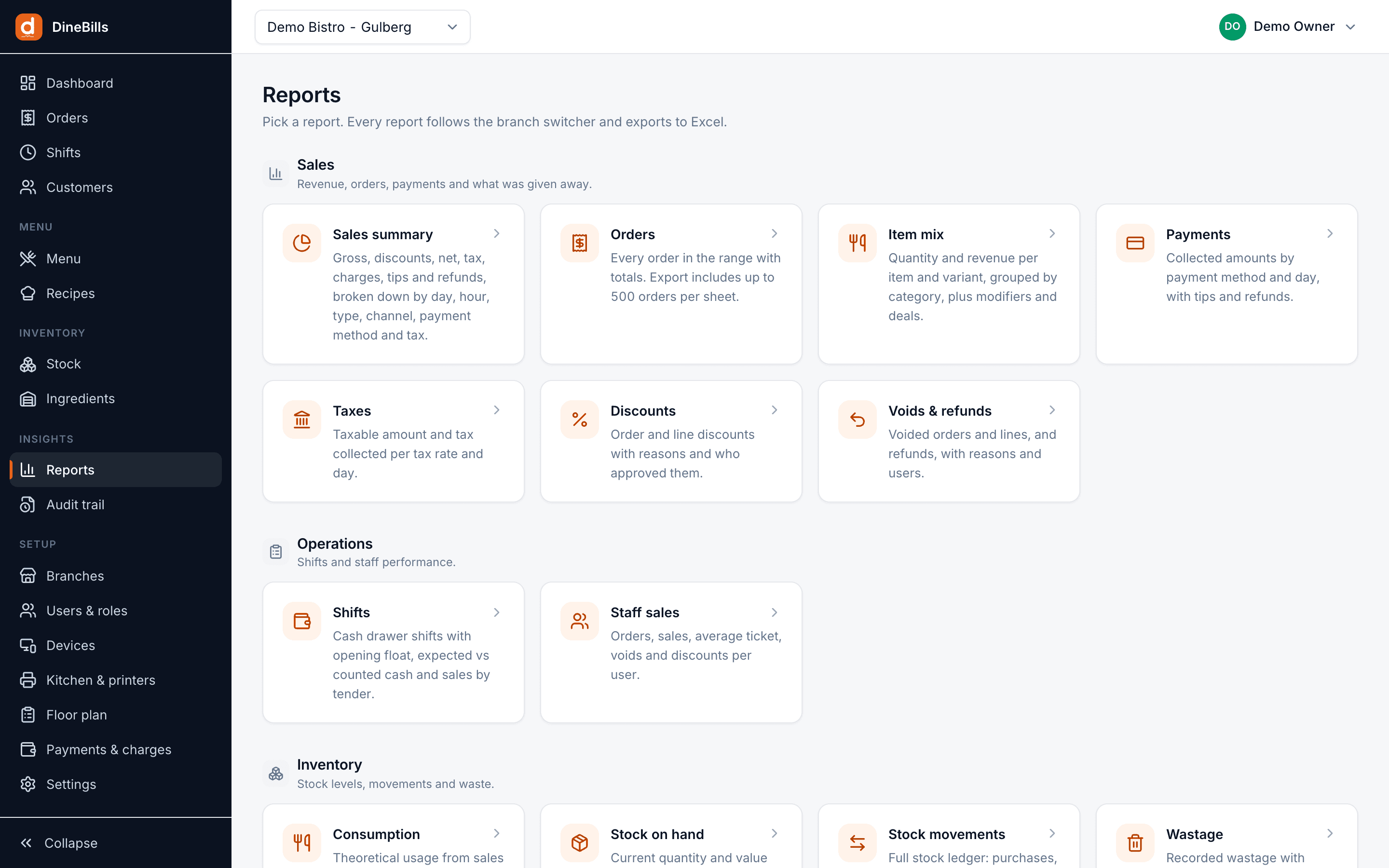
- Sales summary, orders and item mix
- Payments, taxes and discounts
- Voids and refunds
- Shifts and staff sales
- Consumption, stock on hand and movements
- Wastage, low stock and food cost

Edit once. Live everywhere.
The portal is not a report viewer bolted onto a till. It is the source of truth, and every device keeps an up-to-date copy of what it needs.
Pushed, not polled
Changes stream to every online device in about a second. Nobody presses sync.
Offline tills catch up
A till that was offline picks up every change the moment it reconnects.
One pricing engine
Prices, taxes and deals are calculated by the same code on the server and on every device, so totals always match.
Safe to retry
Every change carries a unique key, so a double click or a flaky connection never applies it twice.
Frequently asked questions
Still curious? Talk to our team.
Do I need to install anything to use the back office?
No. The back office runs in any modern browser on a computer, tablet or phone. Sign in at app.dinebills.com from anywhere.
How quickly do menu changes reach the tills?
While devices are online, price, menu and sold-out changes reach every POS, kitchen screen and app in about a second. A till that is offline picks them up as soon as it reconnects.
Can I control what each staff member can see and do?
Yes. Roles carry granular permissions, users can be limited to certain branches, and sensitive actions such as voids and refunds can require a manager PIN. Everything is logged in the audit trail.
Can I import my existing menu?
Yes. Import categories, items and prices from an Excel file, then add modifiers and recipes in the editor. Our team can also do the setup for you.
Can I take an order from the back office?
Yes. The portal has an order entry screen, so a manager or call-centre agent can take a phone or advance order in the browser and send it to the branch kitchen.
Works together, out of the box.
Every DineBills product shares one menu, one set of orders and one back office. Nothing to connect, nothing to re-key.
See your whole business in one place.
Start a free trial and set up your first branch, menu and printers in an afternoon, or let our team do it with you.
No credit card required · Setup help included · Cancel anytime